Bouncing Bubbles
PL-064EasyFluids & particlesCanvas 2D
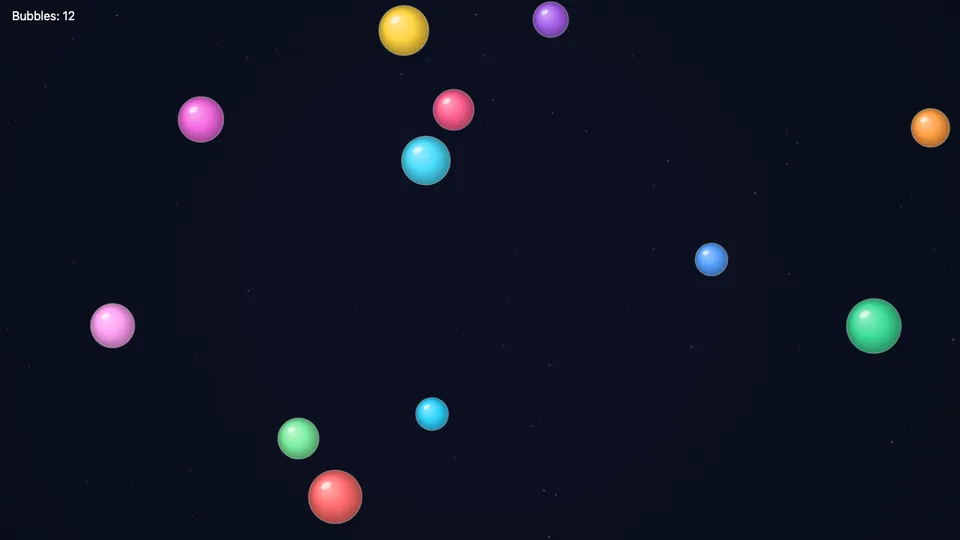
Bubbles colliding with the edges and each other, tap to add more, and a live counter that matches what is on screen.
Download fileMade for ChatGPT, Claude, Gemini, Grok and other AI tools
How to run
- Download the file or copy the prompt.
- Upload or paste it into any AI chat or coding tool, and send.
- Save the HTML it gives you as a file and open it in Chrome.
What it tests
Bubbles colliding with the edges and each other, tap to add more, and a live counter that matches what is on screen.
The checks
- No bubble leaves the screen
- Bubbles bounce off each other
- Tapping adds a bubble
- The counter matches the bubbles shown
- Smooth motion with zero console errors
Runs by model
7 models tried this prompt on a first try; 6 passed. Showing 4.
- swe-2-flash-maxvia Devin CLI2026-11-06First tryTest rig (automatic)Pass60 fps
- swe-2-flash-highvia Devin CLI2026-11-06First tryTest rig (automatic)Pass60 fps
- swe-2-flash-mediumvia Devin CLI2026-11-06First tryTest rig (automatic)Pass60.1 fps
- swe-2-highvia Devin CLI2026-11-07First tryTest rig (automatic)Pass60 fps
Show the full prompt
Build a "Bouncing Bubbles" scene in a single HTML file using plain Canvas 2D (no libraries).

- Dark navy background #0b1020.
- 12 circles, radius 20 to 40 px, each a different bright color, start at random spots with random speeds.
- Circles bounce off all 4 screen edges and never leave the screen.
- Circles bounce off each other (no overlapping that lasts more than a moment).
- Click or tap anywhere to add a new bubble there (max 40).
- Top-left label in white 16px text: "Bubbles: N", where N always equals the number of circles on screen.

RULES FOR EVERY BUILD
- Output ONE self-contained file named index.html: inline CSS and JS, any library only from a public CDN, no other files, no build step. Add <link rel="icon" href="data:,"> so there is no favicon 404.
- It must open straight from disk in desktop Chrome and on an iPhone in Safari, fill the screen, and resize cleanly with no scrollbars.
- Zero console errors or warnings on load and while interacting.
- Animation runs on requestAnimationFrame and stays smooth (about 60fps on a laptop).

WORK LOOP (do this yourself before answering)
1. Build the file.
2. If you can run code, open it in a browser, read the console, take screenshots at 3 s and 6 s, and test the interactions. If you can't run code, mentally trace the code against the checklist line by line.
3. Mark every checklist item PASS or FAIL. Mark PASS only when it is visibly true on screen, not just present in the code.
4. Fix every FAIL and recheck. Repeat until all items pass.
5. Final answer: the complete index.html in ONE code block, output once, then the checklist with PASS/FAIL. Nothing else.
Built one? Post it on X and tag @wikiwaynePost on X