Disclosure: As an Amazon Associate I earn from qualifying purchases. This site contains affiliate links.

Best Webcams for Streaming and Video Calls in 2026

Local LLMs on NVIDIA Spark / ASUS GX10
Best Webcams for Streaming and Video Calls in 2026
Your laptop's built-in webcam makes you look like you're testifying before Congress from a bunker. I say this with love — and from experience, having spent the first year of remote work looking like a grainy hostage on every Zoom call.
A good external webcam is one of the highest-impact upgrades you can make for video calls, streaming, or content creation. And in 2026, the options have gotten genuinely excellent. We're seeing 4K resolution at reasonable prices, AI-powered framing and lighting adjustments, and low-light performance that would have required a DSLR setup just a few years ago.
I've tested the top five webcams side by side — on Zoom calls, OBS streams, and YouTube recordings — across different lighting conditions. Here's what actually matters, and which one to buy.
What to Look For in a Webcam
Before the picks, here's a quick primer on the specs that actually affect your video quality. For a broader overview of webcam technology, Grokipedia has a solid explainer.
Resolution
- 1080p (Full HD): Still the sweet spot for most video calls. Zoom, Teams, and Meet all cap at 1080p anyway.
- 4K (Ultra HD): Matters for YouTube content, recordings, and future-proofing. Overkill for daily standups.
Frame Rate
30fps is fine for meetings. 60fps makes a real difference for streaming and content — smoother motion, more professional look.
Autofocus
Good autofocus tracks your face without hunting. Bad autofocus buzzes constantly, going in and out of focus every time you lean forward.
Low Light Performance
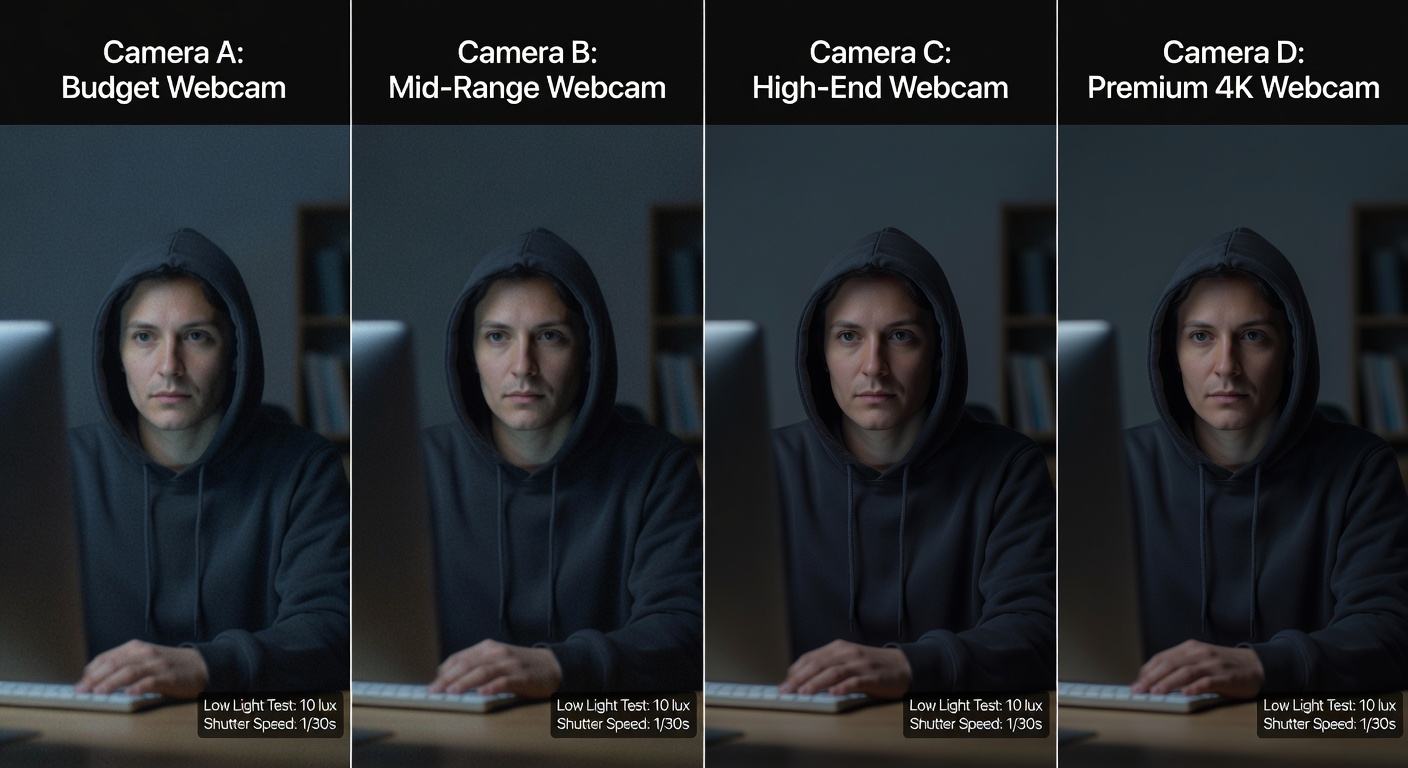
This is the spec most people overlook. Unless you have a ring light and studio setup, your office probably has mediocre overhead lighting. Larger sensor size = better low light = you not looking like a shadow person at 5pm.
Field of View (FOV)
Wider FOV (90-95 degrees) shows your setup and background. Narrower FOV (65-78 degrees) keeps the focus tight on your face. Most webcams let you adjust this digitally.
The Best Webcams in 2026
Quick Comparison Table
| Webcam | Resolution | Max FPS | Autofocus | Low Light | FOV | Price |
|---|---|---|---|---|---|---|
| Logitech Brio 4K | 4K | 30fps (4K) / 60fps (1080p) | Yes | Good | 65-90 | $170 |
| Elgato Facecam Pro | 4K | 60fps (4K) | Yes | Excellent | 80-90 | $300 |
| Insta360 Link 2 | 4K | 30fps (4K) / 60fps (1080p) | AI Tracking | Very Good | 79 | $200 |
| Razer Kiyo Ultra | 4K | 30fps (4K) / 60fps (1080p) | Yes | Very Good | 72-82 | $250 |
| Obsbot Tiny 2 | 4K | 30fps (4K) / 60fps (1080p) | AI Tracking | Good | 60-90 | $230 |
1. Logitech Brio 4K — Best Overall Value
The Brio 4K has been a staple since its original release, and the 2025 refresh added improved HDR processing and a better noise-reduction mic. At $170, it hits the sweet spot where you get genuinely good 4K video without paying "creator" prices.
What I liked: Consistent, accurate autofocus. The adjustable FOV (65, 78, or 90 degrees) lets you frame tight for calls or wide for showing off your desk setup. Color accuracy is solid out of the box — no need to spend 20 minutes tweaking settings.
What could be better: 4K maxes out at 30fps. For 60fps you need to drop to 1080p. The built-in mic is acceptable for impromptu calls but not good enough for streaming or recording.
Best for: Remote workers who want a reliable upgrade from their laptop webcam without spending $300+.
2. Elgato Facecam Pro — Best for Streamers and Creators
The Facecam Pro is the webcam I'd buy if I were building a YouTube studio on a budget (well, a webcam-based budget — DSLR setups are a different conversation). True 4K at 60fps. A Sony STARVIS 2 sensor that handles low light better than anything else in this roundup. Uncompressed video output over USB-C.
What I liked: The image quality is in a class of its own. I tested this in my home office at 6pm with just a desk lamp, and it looked better than the Brio did at noon with natural light. The Elgato Camera Hub software gives you granular control over exposure, white balance, and ISO — no more auto-brightness flickering.
What could be better: No built-in microphone. Elgato's position is that serious creators use an external mic anyway, which is fair — but it means you need additional gear for a complete setup.
Best for: YouTubers, Twitch streamers, and anyone who wants the best possible image quality from a webcam.
3. Insta360 Link 2 — Best AI-Powered Webcam
The Insta360 Link 2 is the most technologically interesting webcam on this list. It sits on a motorized gimbal that physically tracks your movement, keeping you centered in the frame even when you stand up, walk to a whiteboard, or lean way back in your chair.
What I liked: The AI tracking is legitimately impressive. I recorded a coding tutorial where I moved between my desk and a whiteboard, and the camera smoothly panned to follow me. It supports gesture controls too — hold up a hand and it zooms in for a "whiteboard mode" that crops to what's behind you.
What could be better: The gimbal motor makes a faint whirring sound when it moves. In a quiet room, you'll hear it. Also, the AI tracking occasionally gets confused by other people walking behind you.
Best for: Teachers, presenters, and hybrid workers who move around during calls.
4. Razer Kiyo Ultra — Best for Low-Light Offices
Razer built the Kiyo Ultra around a large 1/1.2" sensor — significantly bigger than most webcams. The result is excellent low-light performance and a natural depth-of-field that subtly blurs your background without needing software effects.
What I liked: The natural bokeh (background blur) is subtle and convincing. It doesn't look like the harsh, glitchy blur that Zoom's built-in background effects produce. In dim lighting, this webcam produces cleaner, less noisy video than anything except the Elgato Facecam Pro.
What could be better: At $250, it's in a weird middle ground — more expensive than the Brio but without the 4K@60fps of the Facecam Pro. The Razer Synapse software is also more bloated than it needs to be.
Best for: People who work in dimly lit home offices and want to look good on camera without buying a ring light.

5. Obsbot Tiny 2 — Best Gimbal Alternative
The Obsbot Tiny 2 directly competes with the Insta360 Link 2 for the AI-tracking crown. It uses a similar motorized gimbal design with AI-powered subject tracking, gesture controls, and auto-framing.
What I liked: The tracking speed and smoothness are excellent — arguably slightly faster than the Insta360 Link 2 in my side-by-side testing. The voice control feature lets you say "zoom in" or "zoom out" hands-free, which is a nice touch during live presentations.
What could be better: Low-light performance falls behind the Razer and Elgato. The companion app is functional but not as polished as Elgato Camera Hub.
Best for: Presenters and content creators who want gimbal tracking with slightly faster AI response.
Webcam vs. DSLR: Is a Camera Still Worth It?
This is the question I get most often. Here's my honest take:
For video calls and casual streaming: A webcam is all you need. The convenience of plug-and-play, auto-focus, auto-exposure, and no capture card requirement makes webcams the practical choice for 95% of people.
For professional YouTube content or high-end streaming: A mirrorless camera (like a Sony ZV-E10 II or Canon R50) with a capture card will produce noticeably better footage. But you're also looking at $800-$1,500 in additional gear, plus the complexity of managing a separate camera setup.
If you're just getting started with content creation, start with a Logitech Brio or Elgato Facecam Pro. Upgrade to a mirrorless camera once your channel has grown enough to justify the investment.
My Recommended Setup for Video Calls
Here's what I use daily for Zoom calls and the occasional YouTube recording:
- Webcam: Elgato Facecam Pro, mounted on top of my monitor
- Monitor: ASUS ProArt PA279CRV for accurate color
- Microphone: External USB mic (more on that in our best microphones for podcasting guide)
- Lighting: A simple LED desk lamp at 45 degrees — no ring light needed with the Facecam Pro's sensor
- Headphones: Sony WH-1000XM5 for call audio and noise cancellation
The total investment for this setup (minus the monitor) is around $500. It makes a dramatic difference compared to a laptop webcam and built-in speakers.
If you need extra USB ports for all this gear, a UGREEN USB-C Hub 6-in-1 is an affordable way to connect everything. We covered more options in our best USB-C hubs and docks roundup.
Quick Tips to Look Better on Camera
Even the best webcam can't fix bad fundamentals. Here are five things that make more difference than the hardware:
- Light your face, not your back. Put the light source in front of you (or at 45 degrees). A window behind you turns you into a silhouette.
- Position the camera at eye level. Nobody looks good shot from below. Stack some books under your monitor if needed.
- Use a clean background. A tidy bookshelf beats a virtual background every time.
- Hardwire your internet. The best webcam in the world can't save you from choppy video caused by Wi-Fi congestion.
- Test before important calls. Spend 30 seconds checking your framing and lighting in the camera preview. Future you will be grateful.
For more on building the complete remote work setup, check out our best home office setup guide.

The Bottom Line
For most remote workers, the Logitech Brio 4K at $170 is the right call — reliable, versatile, and a massive upgrade over any built-in laptop camera.
If you're creating content for YouTube or Twitch, the Elgato Facecam Pro at $300 is worth every penny for its 4K@60fps output and outstanding low-light sensor.
And if you move around during calls or presentations, the Insta360 Link 2 is a genuinely clever piece of engineering that follows you with a physical gimbal.
No matter which you choose, an external webcam is the single best investment for looking professional on video in 2026.
What webcam are you using? Let me know on X (@wikiwayne) — I'm always curious what gear people rely on.
Recommended Gear
These are products I personally recommend. Click to view on Amazon.
ASUS ProArt PA279CRV 27" 4K — Great pick for anyone following this guide.
LG 27UN850-W 4K UHD — Great pick for anyone following this guide.
 Sony WH-1000XM5 — Great pick for anyone following this guide.
 Logitech MX Keys S Wireless — Great pick for anyone following this guide.
 UGREEN USB-C Hub 6-in-1 — Great pick for anyone following this guide.
 Samsung T7 Portable SSD 1TB — Great pick for anyone following this guide.
This article contains affiliate links. As an Amazon Associate I earn from qualifying purchases. See our full disclosure.
Affiliate Disclosure: As an Amazon Associate I earn from qualifying purchases. This site contains affiliate links.