Disclosure: As an Amazon Associate I earn from qualifying purchases. This site contains affiliate links.

Best Standing Desks for Developers in 2026

Local LLMs on NVIDIA Spark / ASUS GX10
Best Standing Desks for Developers in 2026
I bought my first standing desk three years ago because my back hurt. I kept using it because everything else got better too — focus, energy levels, and that 3pm slump that used to flatline my productivity every afternoon.
Standing desks aren't magic. They won't fix bad posture, and standing all day is just as problematic as sitting all day. But a good sit-stand desk that lets you alternate between positions throughout the day is one of the best investments you can make for long-term health and sustained focus during coding sessions.
I've tested five of the most popular electric standing desks over the past year, paying attention to the things that actually matter for developers: stability at standing height (nobody wants a wobbly monitor while typing), surface area for multi-monitor setups, noise level during adjustment, and long-term build quality.
For a deeper look at the ergonomic science, Grokipedia covers the research on standing desks.
What to Look For in a Standing Desk
Height Range
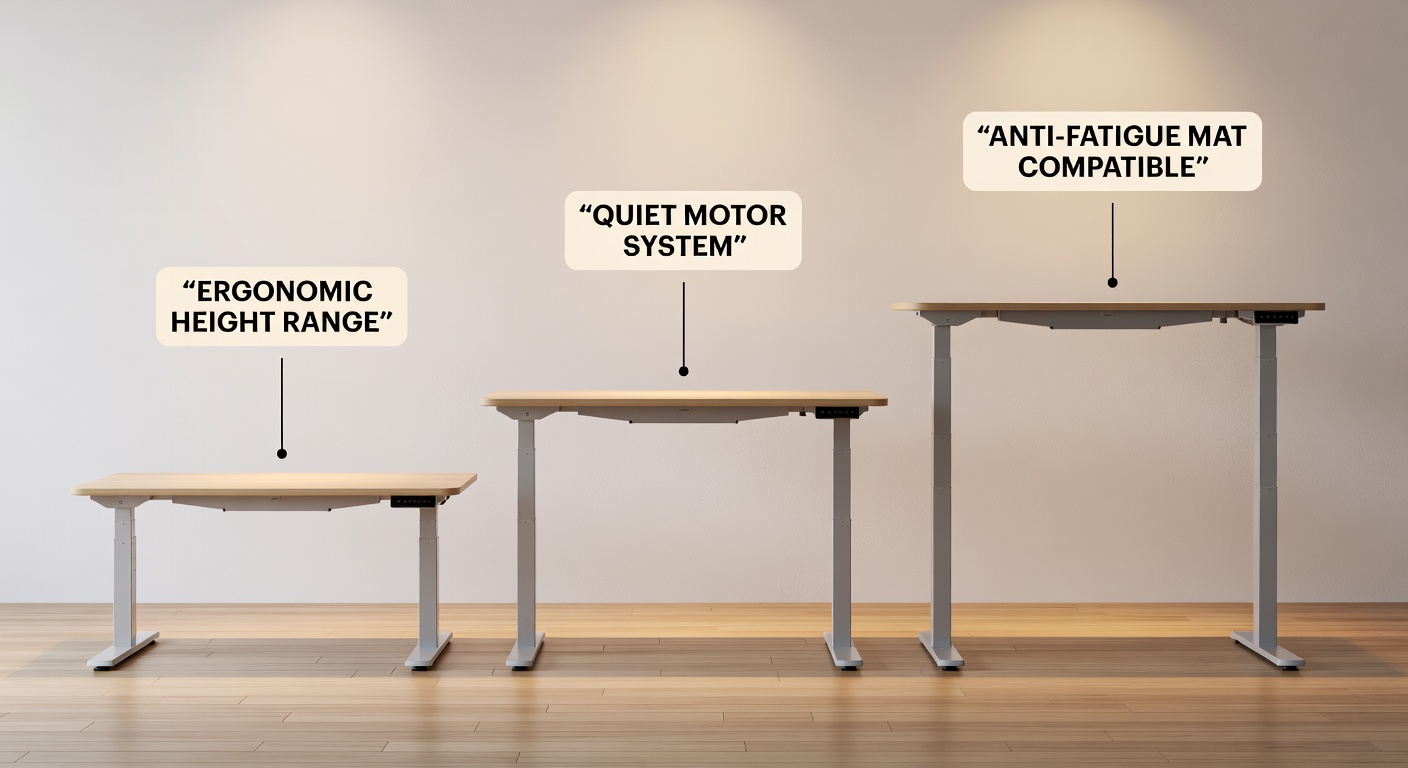
You need the desk to go low enough to sit comfortably and high enough to stand with your forearms parallel to the floor. For most people, that means a range of about 25" (sitting) to 50" (standing). If you're over 6'2" or under 5'4", pay extra attention to the height range — some desks won't go high or low enough.
Stability
This is the number one concern for developers. At standing height (42-50"), even small wobble is amplified — and if your monitor is bouncing while you type, you'll sit down and never stand again. Frame construction, crossbar design, and leg thickness all affect stability.
Motor and Speed
Electric desks use single-motor or dual-motor systems. Dual motors are faster, quieter, and more reliable. Budget desks often use a single motor that's slower and strains under heavy loads.
Desktop Size
For a typical developer setup (one monitor, laptop, keyboard, mouse), you need at least 48" x 24". For dual monitors or an ultrawide, go 60" x 30" or larger. Deeper desks give you more room to push the monitor back to a comfortable viewing distance.
Weight Capacity
Your monitors, laptop, books, and accessories add up. A typical developer desk setup weighs 50-80 lbs. Most quality standing desks handle 300+ lbs, so this is rarely an issue — but check if you're mounting heavy equipment.
The Best Standing Desks in 2026
Quick Comparison Table
| Desk | Height Range | Speed | Max Load | Top Sizes | Warranty | Price (frame + top) |
|---|---|---|---|---|---|---|
| Uplift V2 | 25.3" - 50.9" | 1.5"/sec | 355 lbs | 42"-80" | 15 years | $600-$1,200 |
| Flexispot E7 | 22.8" - 48.4" | 1.5"/sec | 355 lbs | 48"-80" | 15 years | $480-$800 |
| Autonomous SmartDesk Pro | 26.2" - 52" | 1.3"/sec | 310 lbs | 53" x 29" | 7 years | $530 |
| Branch Standing Desk | 24.5" - 50" | 1.5"/sec | 275 lbs | 48"-72" | 12 years | $700-$1,000 |
| IKEA BEKANT | 22" - 48" | 0.6"/sec | 154 lbs | 63" x 31" | 10 years | $550 |
1. Uplift V2 — Best Overall Standing Desk
The Uplift V2 has been the default recommendation in the standing desk space for several years, and it continues to earn that position. The build quality is excellent, the height range accommodates nearly everyone, and the customization options are extensive — you can choose from dozens of desktop materials, sizes, and frame colors.
What I liked: Rock-solid stability at standing height. I tested this with a 34" ultrawide mounted on a monitor arm, and there was no perceptible wobble while typing at full standing height. The dual-motor system is quiet (under 45 dB) and smooth. Four programmable height presets make transitions effortless.
The advanced keypad shows your current height in real-time and includes anti-collision detection — the desk stops and reverses if it hits something while adjusting. Small feature, huge peace of mind if you have a PC tower under the desk.
What could be better: The price. A 60" x 30" Uplift V2 with a bamboo top runs about $800-$900 after accessories. Assembly takes about 45-60 minutes and benefits from a second person.
Cable management: Uplift sells a wire management tray and cable raceways as add-ons. I strongly recommend the under-desk cable tray — it keeps everything tidy and prevents cables from pulling when the desk moves.
Best for: Developers who want the best overall desk and are willing to pay for it.
2. Flexispot E7 — Best Value Standing Desk
The Flexispot E7 is the desk I recommend most often, because it delivers 90% of the Uplift experience at 60-70% of the price. The frame is sturdy, the dual motors are quiet, and the height range starts impressively low at 22.8" — great for shorter users or for pushing a keyboard tray underneath.
What I liked: The value proposition is outstanding. At $480 for a 48" x 24" configuration (frame + top), it's the cheapest quality standing desk on this list. Stability is very good — not quite Uplift-level at maximum height, but close enough that most people won't notice the difference.
The oval-shaped legs are aesthetic and provide excellent rigidity. The keypad includes three height presets and a child-lock function.
What could be better: The desktop options are more limited than Uplift — fewer materials and finishes to choose from. The included cable management is basic (just a grommet hole). You'll want to add your own cable tray.
Best for: Budget-conscious developers who want a reliable sit-stand desk without overspending.
3. Autonomous SmartDesk Pro — Best Pre-Configured Option
Autonomous takes the decision fatigue out of buying a standing desk. The SmartDesk Pro comes as a complete package — frame and top, pre-configured, with a clean design that doesn't require you to choose from 47 desktop materials.
What I liked: The widest height range on this list (26.2" to 52"), making it the best choice for very tall users. The 53" x 29" desktop comfortably fits a dual-monitor setup. Setup is straightforward — simpler than the Uplift — and the desk looks clean out of the box.
What could be better: The 310 lb weight capacity is the lowest among the premium options, though still sufficient for most setups. The 7-year warranty is shorter than competitors. And the fixed desktop size means you can't go smaller or larger.
Best for: Tall developers and people who want a complete desk without the customization hassle.
4. Branch Standing Desk — Best Aesthetics
Branch comes from the commercial office furniture world, and it shows. The Standing Desk has the most refined, professional look on this list — clean lines, minimal branding, and a quality of finish that you'd see in a WeWork or a tech company headquarters.
What I liked: Beautiful build quality. The powder-coated steel frame has no visible welds or rough edges. The laminate desktop options are convincing and durable. Stability is excellent — Branch clearly engineered this for corporate environments where wobble complaints would be unacceptable.
What could be better: $700-$1,000 puts it in Uplift territory without the same level of customization. The 275 lb weight capacity is adequate but not generous. And availability can be spotty — Branch occasionally has wait times on popular configurations.
Best for: People who care about aesthetics and want their home office to look like it belongs in an architecture magazine.

5. IKEA BEKANT — Best Budget Option
The IKEA BEKANT is the standing desk for people who aren't sure they want a standing desk. At $550 for a 63" x 31" sit-stand desk, it's affordable enough to be a low-risk experiment.
What I liked: The desktop is genuinely large — 63" x 31" gives you room for a wide monitor setup with space to spare. The design is clean and inoffensive. And you can pick one up from any IKEA store without waiting for shipping.
What could be better: The single-motor system is slow (0.6"/sec) and loud. There are no programmable height presets — you hold the up/down buttons and release when you reach the right height. The 154 lb weight capacity is the lowest on this list. And stability at standing height is noticeably worse than the other options — there's a perceptible wobble when typing.
Best for: People who want to try a standing desk without a major financial commitment.
Electric vs. Manual Crank: Is It Worth the Upgrade?
Manual crank desks cost less ($200-$400) but require 30-60 seconds of cranking to change height. Electric desks adjust in 5-10 seconds at the press of a button.
Here's why electric matters: you'll actually use it. Studies on standing desk usage show that people with electric desks change position 3-5 times per day on average. Manual crank users change position 1-2 times. The friction of cranking discourages the frequent transitions that make sit-stand desks beneficial.
If you can afford electric, go electric. The Flexispot E7 at $480 makes it accessible.
Ergonomic Setup Tips for Developers
A standing desk is only as good as your overall ergonomic setup. Here's how to configure yours:
Sitting Position
- Monitor: Top of the screen at or slightly below eye level, 20-26" away
- Keyboard: Elbows at 90 degrees, wrists neutral (not bent up or down)
- Chair: Feet flat on the floor, thighs parallel to the ground
- Lumbar: Supported — either by the chair or a cushion
Standing Position
- Monitor: Same eye-level rule — you'll need a monitor arm or adjustable stand
- Keyboard: Same 90-degree elbow rule, adjusted for your standing height
- Feet: Shoulder-width apart on an anti-fatigue mat
- Shoes: Supportive footwear or quality slippers — don't stand on hard floors in socks
The Sit-Stand Rhythm
The research consistently points to a 20-8-2 rule: sit for 20 minutes, stand for 8 minutes, move for 2 minutes. That's a 30-minute cycle. In practice, I find that longer blocks work fine — 45-60 minutes sitting, 20-30 minutes standing — as long as you're changing position regularly.
Set a timer or use a desk app that reminds you. The Uplift and Flexispot keypads both have sit-stand reminder features built in.
For the complete workstation ergonomics picture, check out our best home office setup guide and best monitors for coding.
Cable Management: The Unsung Hero
Nothing ruins a standing desk setup faster than tangled cables yanking on your equipment when the desk moves. Here's how to handle it:
- Under-desk cable tray: Mounts to the bottom of the desk and holds power strips, adapters, and excess cable length. $20-$40 and absolutely essential.
- Cable spine or chain: A flexible cable carrier that runs from the desk to the floor, keeping cables organized as the desk moves up and down.
- Wireless peripherals: Fewer cables = fewer problems. A wireless keyboard like the Logitech MX Keys S and a wireless mouse eliminate two cables from the equation.
- USB-C hub: A single UGREEN USB-C Hub or full docking station reduces the number of cables running to your laptop. We covered the best options in our USB-C hubs and docks roundup.

Anti-Fatigue Mats: Do You Need One?
Yes. Standing on a hard surface for 20+ minutes is uncomfortable and potentially harmful to your joints. A good anti-fatigue mat has:
- Thickness: At least 3/4" of cushioning
- Texture: A slight surface variation that encourages micro-movements
- Beveled edges: So you don't trip on it
- Size: Large enough to shift your weight side to side (at least 26" x 36")
Budget $40-$70 for a quality mat. The Ergodriven Topo and CumulusPRO are both excellent. It's one of those things that sounds unnecessary until you try it, and then you can't stand without it.
The Bottom Line
The Uplift V2 is the best standing desk you can buy — stable, customizable, and built to last 15+ years. The Flexispot E7 is the smart value pick that delivers 90% of the experience at a significantly lower price. The Branch wins on aesthetics. The IKEA BEKANT is a fine starting point if you're not sure about the standing desk lifestyle.
My honest recommendation: get the Flexispot E7, invest the savings in a good monitor arm and cable management, and start standing for at least 2 hours of your workday. Your back, your energy, and your afternoon productivity will thank you.
What desk are you coding at? Let me know on X (@wikiwayne) — I love seeing people's setups.
Recommended Gear
These are products I personally recommend. Click to view on Amazon.
Logitech MX Keys S Wireless — Great pick for anyone following this guide.
Logitech MX Mechanical Mini — Great pick for anyone following this guide.
 ASUS ProArt PA279CRV 27" 4K — Great pick for anyone following this guide.
 LG 27UN850-W 4K UHD — Great pick for anyone following this guide.
 Sony WH-1000XM5 — Great pick for anyone following this guide.
 UGREEN USB-C Hub 6-in-1 — Great pick for anyone following this guide.
This article contains affiliate links. As an Amazon Associate I earn from qualifying purchases. See our full disclosure.
Affiliate Disclosure: As an Amazon Associate I earn from qualifying purchases. This site contains affiliate links.