Disclosure: As an Amazon Associate I earn from qualifying purchases. This site contains affiliate links.

Best USB-C Hubs and Docking Stations in 2026

Local LLMs on NVIDIA Spark / ASUS GX10
Best USB-C Hubs and Docking Stations in 2026
If you work on a laptop, you already know the drill: one cable in, everything connected. That's the promise of USB-C docking stations, and in 2026, the ecosystem has finally matured to the point where it actually delivers — most of the time.
I've been testing USB-C hubs and docks for the past several weeks across my MacBook Pro M4, a Lenovo ThinkPad X1 Carbon, and a Framework Laptop 16. The differences are real, and picking the wrong dock can mean dropped displays, sluggish file transfers, or a laptop that barely charges while you work.
Here's my breakdown of the best options available right now.
Hub vs. Dock: What's the Difference?
Before we get into picks, let's clear up the terminology that manufacturers love to blur.
USB-C Hubs are compact, portable devices that add a handful of ports. They typically don't need external power and draw from your laptop. Think of them as port expanders you toss in a bag.
Docking Stations are larger, usually powered, and designed to sit permanently on your desk. They support multiple displays, charge your laptop at full wattage, and connect everything — monitors, keyboard, mouse, Ethernet, audio — through a single cable.
Thunderbolt 4/5 Docks are a subset of docking stations that use the Thunderbolt protocol for maximum bandwidth (40Gbps for TB4, 80Gbps for TB5). They cost more but deliver the most reliable multi-monitor and high-speed data performance.
For a deeper look at USB-C as a standard, check out the Grokipedia page on USB-C.
The Best USB-C Docks and Hubs in 2026
Quick Comparison Table
| Dock | Type | Ports | Max Displays | PD Wattage | Price |
|---|---|---|---|---|---|
| CalDigit TS4 | Thunderbolt 4 | 18 | 2x 6K | 98W | $380 |
| Anker 577 Thunderbolt 4 | Thunderbolt 4 | 13 | 2x 4K@60 | 100W | $280 |
| UGREEN Revodok Max 213 | Thunderbolt 4 | 13 | 3x 4K@60 | 140W | $300 |
| Plugable UD-6950PDZ | USB-C DisplayLink | 14 | 3x 4K@60 | 100W | $250 |
| Satechi Thunderbolt 4 Slim | Thunderbolt 4 | 6 | 2x 4K@60 | 96W | $200 |
| UGREEN 6-in-1 Hub | USB-C Hub | 6 | 1x 4K@60 | Pass-through | $35 |
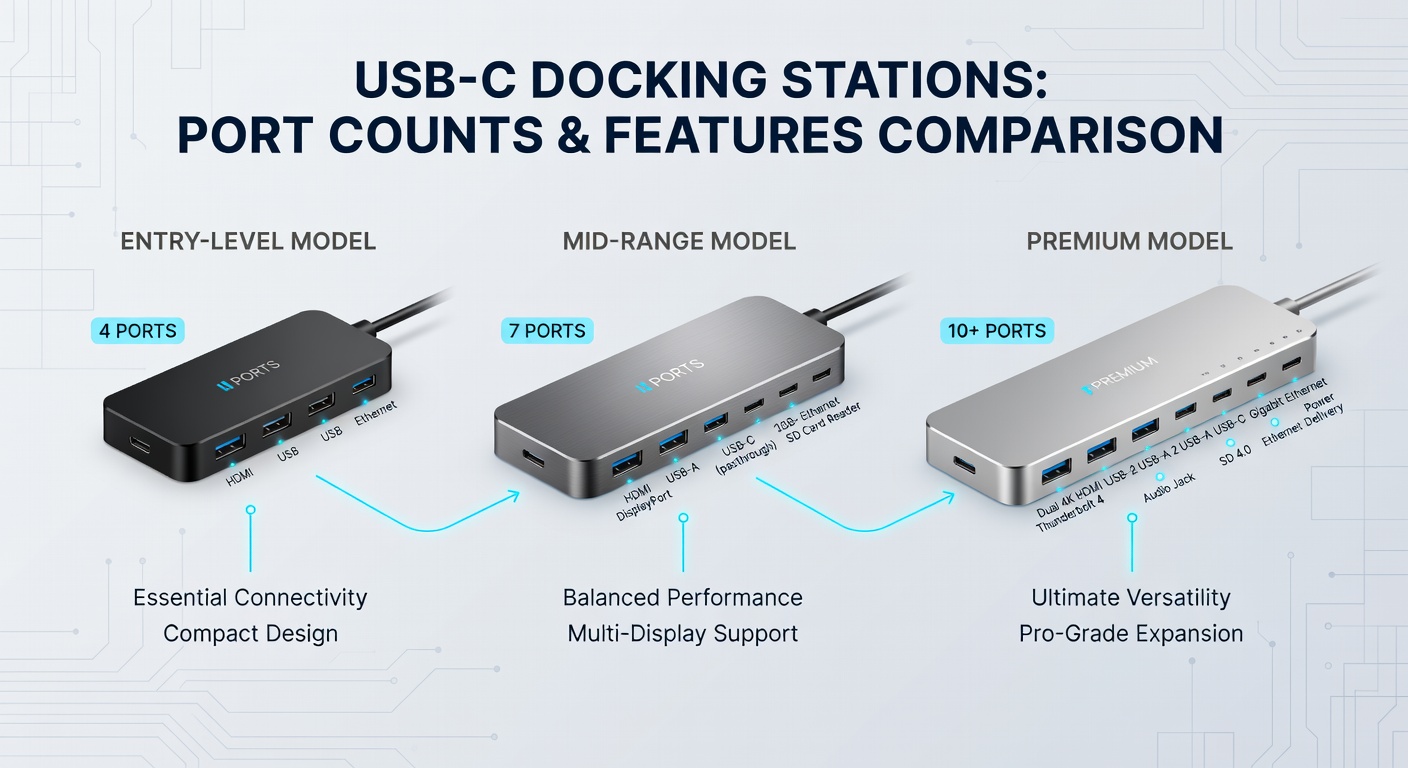
1. CalDigit TS4 — Best Overall Thunderbolt 4 Dock
The CalDigit TS4 remains the gold standard for Thunderbolt docking in 2026. With 18 total ports, it's essentially a port buffet: three Thunderbolt 4 downstream ports, five USB-A, DisplayPort 1.4, 2.5Gb Ethernet, SD and microSD card readers, and a 3.5mm combo jack.
Why it wins: Reliability. I've had this dock running for months with zero display drops, zero kernel panics, and zero "why did my monitor just go black" moments. The build quality is aluminum, compact, and genuinely premium.
The catch: 98W power delivery is fine for a MacBook Air or a 14-inch Pro, but the 16-inch MacBook Pro M4 Max can draw up to 140W. You'll get by, but the laptop may not charge under heavy load.
Best for: MacBook Pro users who want a set-it-and-forget-it desk setup. Also excellent with ThinkPads.
2. Anker 577 Thunderbolt 4 Dock — Best Value Thunderbolt
Anker's 577 delivers about 85% of the CalDigit experience at 75% of the price. You get 13 ports including two Thunderbolt 4 downstream, USB-A 3.2, HDMI 2.0, Gigabit Ethernet, and SD card slots. Power delivery tops out at a respectable 100W.
Why it's great: The value proposition is hard to beat. Dual-monitor support works flawlessly on both macOS and Windows, and the 100W PD handles everything up to a 14-inch MacBook Pro without issue.
The catch: The build is plastic rather than aluminum, and you lose the 2.5Gb Ethernet that the CalDigit TS4 offers. Fine for most people, but power users will notice.
Best for: Developers and remote workers who want Thunderbolt 4 without the premium price tag.
3. UGREEN Revodok Max 213 — Best for Triple Monitors
UGREEN has been aggressively moving upmarket, and the Revodok Max 213 is their flagship dock. The standout feature is triple 4K@60Hz display support — rare at this price. It also pushes 140W power delivery, enough to fast-charge even the hungriest laptops.
Why it's great: Three monitors through one cable. If you're running a coding setup with a main display, a terminal on the side, and a reference screen, this dock handles it without blinking.
The catch: Triple display requires a Thunderbolt 4 host. On regular USB-C, you're limited to two displays. Also, the dock runs warm under full load — not dangerous, but noticeable.
If you're building out your workstation, pair it with a quality monitor like the ASUS ProArt PA279CRV 27" 4K Monitor, which has a USB-C input that works beautifully in a daisy-chain setup.
Best for: Multi-monitor power users, especially those on Framework or ThinkPad laptops with full Thunderbolt 4.
4. Plugable UD-6950PDZ — Best for macOS Multi-Monitor
Here's the thing about macOS: Apple intentionally limits most M-series chips to a single external display over USB-C. The Plugable UD-6950PDZ sidesteps this with DisplayLink drivers, giving you up to three 4K monitors on any Apple Silicon Mac.
Why it's great: It actually works for multi-monitor on M-series Macs without hacks or workarounds. The DisplayLink software has matured significantly, and frame drops are a thing of the past for productivity work.
The catch: DisplayLink adds a small amount of CPU overhead (about 3-5% per display in my testing). Gamers and video editors may notice, but for coding, writing, and general productivity, it's perfectly smooth.
Best for: MacBook users who need more than one external monitor and don't have a Thunderbolt 4 machine.

5. Satechi Thunderbolt 4 Slim Dock — Best Compact Dock
Not everyone wants a massive dock on their desk. Satechi's Slim Dock packs Thunderbolt 4 capability into a form factor not much bigger than a chocolate bar. Six ports: one TB4 upstream, one TB4 downstream, two USB-A 3.2, Gigabit Ethernet, and USB-C charging.
Why it's great: Clean aesthetics, minimal desk footprint, and rock-solid dual 4K output. It matches Apple's design language better than any competitor.
The catch: Only 96W power delivery and no card readers, HDMI, or audio jack. You're trading ports for portability.
Best for: Minimalists, hot-deskers, and anyone who values a clean desk over maximum port count.
6. UGREEN 6-in-1 USB-C Hub — Best Budget Travel Hub
Sometimes you don't need a full dock — you just need a few extra ports when you're at a coffee shop or a co-working space. The UGREEN USB-C Hub 6-in-1 covers the basics: HDMI 4K@60, two USB-A 3.0, USB-C data, SD card, and 100W PD pass-through charging.
Why it's great: At around $35, it does exactly what a travel hub should. Pocket-sized, no external power needed, and reliable enough that I've stopped worrying about it.
The catch: Single display only, USB 3.0 speeds (not 3.2), and it can get warm driving 4K output. This is a port expander, not a workstation dock.
Best for: Anyone who travels with a laptop and needs basic connectivity on the go.
What to Look For When Buying a USB-C Dock
Power Delivery (PD)
Your dock should charge your laptop. Period. Here's what you need:
- MacBook Air / 13" laptops: 65W minimum
- MacBook Pro 14" / ThinkPad X1: 96-100W
- MacBook Pro 16" / workstation laptops: 140W+
If the dock can't match your laptop's charger, you'll see slow charging or even net discharge under heavy load.
Display Support
This is where most people get burned. Key things to verify:
- How many displays? Check against your specific laptop model, not just the dock's spec sheet.
- Resolution and refresh rate? "4K support" might mean 4K@30Hz, which looks terrible.
- macOS limitations: M1/M2/M3 base chips natively support one external display. You need DisplayLink or Thunderbolt to get more.
Thunderbolt vs. USB-C
All Thunderbolt ports are USB-C, but not all USB-C ports are Thunderbolt. A USB-C 3.2 port tops out at 10Gbps. Thunderbolt 4 delivers 40Gbps. Thunderbolt 5 pushes 80Gbps. The difference matters for external SSDs, multi-monitor setups, and high-bandwidth peripherals.
Check out our guide to the best monitors for coding to pair the right display with your new dock.
My Desk Setup: What I Actually Use
For what it's worth, my daily driver is the CalDigit TS4 connected to my MacBook Pro M4. From that single Thunderbolt cable, I run:
- An LG 27UN850-W 4K Monitor as my primary display
- A Logitech MX Keys S Wireless Keyboard
- A Samsung T7 SSD for Time Machine backups
- Gigabit Ethernet (because Wi-Fi is never as reliable as you think)
- Charging at 96W
One cable. Everything connected. Laptop goes from bag to full workstation in under five seconds.
For more on building your ideal workspace, check out our best home office setup guide.

Frequently Asked Questions
Do I need Thunderbolt 4 or is USB-C enough?
For a single monitor and basic peripherals, USB-C 3.2 is fine. For dual monitors, high-speed storage, or daisy-chaining, invest in Thunderbolt 4.
Will a Thunderbolt 4 dock work with a USB-C-only laptop?
Yes, but at reduced capability. You'll get USB-C speeds and possibly fewer displays. The dock won't break — it just won't hit its full potential.
Why does my dock disconnect my monitor randomly?
Usually a cable issue. Cheap USB-C cables often lack the wiring for video output. Use the cable that came with your dock, or buy a certified Thunderbolt 4 cable.
Can I use two docks on one laptop?
Technically yes, but you're splitting your laptop's available bandwidth. Better to buy one dock with enough ports.
The Bottom Line
The CalDigit TS4 is still the dock to beat if budget isn't a constraint. The Anker 577 is the smart value pick. The UGREEN Revodok Max 213 wins for triple-monitor setups. And the UGREEN 6-in-1 hub belongs in every laptop bag.
The single-cable desk setup isn't a luxury anymore — it's a genuine productivity upgrade. Pick the right dock, invest in good peripherals, and you'll wonder how you ever worked any other way.
Got a dock recommendation I missed? Hit me up on X (@wikiwayne) — I'm always testing new gear.
Recommended Gear
These are products I personally recommend. Click to view on Amazon.
UGREEN USB-C Hub 6-in-1 — Great pick for anyone following this guide.
Samsung T7 Portable SSD 1TB — Great pick for anyone following this guide.
Samsung T7 Shield SSD 1TB — Great pick for anyone following this guide.
 ASUS ProArt PA279CRV 27" 4K — Great pick for anyone following this guide.
 LG 27UN850-W 4K UHD — Great pick for anyone following this guide.
 Logitech MX Keys S Wireless — Great pick for anyone following this guide.
This article contains affiliate links. As an Amazon Associate I earn from qualifying purchases. See our full disclosure.
Affiliate Disclosure: As an Amazon Associate I earn from qualifying purchases. This site contains affiliate links.