Disclosure: As an Amazon Associate I earn from qualifying purchases. This site contains affiliate links.

Best AI Writing Assistants in 2026: Beyond ChatGPT

Local LLMs on NVIDIA Spark / ASUS GX10
Best AI Writing Assistants in 2026: Beyond ChatGPT
Here's the thing about AI writing tools in 2026: everyone thinks they know the landscape because they've used ChatGPT. But ChatGPT is just one option in a crowded, increasingly specialized market. The tool that's best for dashing off a quick email is not the same tool that's best for writing a 3,000-word blog post, and neither of those is the best for crafting high-converting ad copy.
I've spent the last two months putting seven of the top AI writing assistants through their paces across real workflows -- blog articles, email sequences, social media copy, technical documentation, and marketing landing pages. The differences between them are bigger than you might expect.
Why AI Writing Assistants Are Everywhere in 2026
The adoption curve has been steep. Over 60% of marketing teams now use AI writing tools in some capacity, and the global AI writing assistant market is projected to hit $6.5 billion by 2030. But the more interesting number is this: content teams using AI report producing 3-5x more content per week without adding headcount.
That doesn't mean AI is writing everything autonomously. The best workflows combine AI capabilities with human judgment -- AI handles the first draft, research synthesis, and structural suggestions, while humans handle voice, nuance, fact-checking, and the creative spark that makes content resonate.
What's changed since 2024 is the quality floor. Two years ago, AI-generated content had a recognizable flatness -- the "AI voice" was easy to spot. In 2026, the best tools produce prose that's genuinely hard to distinguish from skilled human writing, especially when given proper context and guidance.

Top 7 AI Writing Assistants in 2026
1. Claude (Anthropic)
The long-form champion. Claude has become my default AI writing assistant, and it's not close. Anthropic's model excels at extended, nuanced writing that maintains consistent tone and argument structure across thousands of words. Where other tools start to lose coherence after a page or two, Claude holds together.
What sets it apart: Claude's 200K context window means it can ingest your entire blog, style guide, and previous articles before writing a single word. The result is output that actually sounds like you wrote it. Claude is also notably better at following complex instructions -- "write in first person, conversational but authoritative, avoid cliches, include specific examples" -- without falling into generic AI patterns.
Best for: Long-form content, blog posts, technical writing, nuanced marketing copy, and any project that requires maintaining a consistent voice.
Pricing:
- Free tier (limited usage)
- Pro: $20/month
- Max: $100/month or $200/month for heavy usage
2. ChatGPT (OpenAI)
The versatile default. ChatGPT with GPT-5.2 remains the most widely used AI writing tool, and for good reason -- it's fast, capable, and deeply integrated into the tools people already use. The writing quality has improved significantly, and features like Custom GPTs let you build specialized writing assistants for specific use cases.
What sets it apart: The ecosystem. ChatGPT connects to the web, runs code, generates images, and now operates as an autonomous agent through Codex. For writers who need an all-in-one tool that can research a topic, draft content, generate accompanying visuals, and format everything for publishing, it's hard to beat.
Best for: General-purpose writing, research-heavy content, multimedia content creation, and users who want one tool for everything.
Pricing:
- Free tier (GPT-4o mini)
- Plus: $20/month (GPT-5.2 + DALL-E + browsing)
- Pro: $200/month (unlimited access)
3. Jasper
The marketing specialist. Jasper has leaned hard into its marketing niche and it's paying off. Instead of trying to be a general-purpose AI, Jasper focuses on what marketing teams actually need: campaign briefs, ad copy, product descriptions, email sequences, and social media content -- all calibrated to your brand voice.
What sets it apart: Jasper's Brand Voice feature is genuinely useful. Upload your style guide, past content, and brand guidelines, and Jasper will maintain your brand's tone across every piece of content. The campaign workflow feature lets you plan an entire multi-channel campaign and generate all the assets in one session.
Best for: Marketing teams, agencies, e-commerce brands, and anyone producing high-volume marketing content.
Pricing:
- Creator: $49/month (1 seat, 1 brand voice)
- Pro: $69/month (5 seats, 3 brand voices)
- Business: Custom pricing
4. Copy.ai
The sales copy machine. Copy.ai has evolved from a simple copywriting tool into a full-blown GTM (go-to-market) AI platform. It's particularly strong at the kind of short-form, high-impact copy that drives conversions -- email subject lines, ad headlines, product descriptions, and sales sequences.
What sets it apart: The workflow automation. Copy.ai can pull data from your CRM, research a prospect's company, and generate personalized outreach sequences at scale. For sales teams, this is a genuine productivity multiplier. The template library covers virtually every marketing use case.
Best for: Sales teams, growth marketers, e-commerce copywriting, and anyone who needs high-volume, conversion-focused content.
Pricing:
- Free tier (2,000 words/month)
- Starter: $36/month (unlimited words)
- Advanced: $186/month (workflow automation)
- Enterprise: Custom
5. Writesonic
The SEO writer's companion. Writesonic has carved out a strong position by combining AI writing with SEO optimization. It doesn't just generate content -- it generates content optimized for specific keywords, with meta descriptions, header structures, and internal linking suggestions built in.
What sets it apart: The integration with search data. Writesonic analyzes top-ranking content for your target keyword, identifies gaps, and generates articles structured to compete. The Chatsonic feature adds real-time web access, so your content can reference current events and recent data.
Best for: SEO-focused content creators, bloggers, affiliate marketers, and anyone writing content primarily to rank in search.
Pricing:
- Free trial
- Individual: $16/month (100 articles)
- Standard: $79/month (unlimited)
- Enterprise: Custom
6. Grammarly AI
The editor that writes. Grammarly has expanded from a grammar checker into a full writing assistant, and the AI features are impressively seamless. It lives where you write -- Gmail, Google Docs, Slack, social media -- offering real-time suggestions, rewrites, and even full draft generation without leaving your workflow.
What sets it apart: The integration footprint. Grammarly works everywhere -- browser extensions, desktop apps, mobile keyboards -- which means the AI assistance follows you across every writing surface. The tone detection and adjustment features are best-in-class for professional communication.
Best for: Professionals who write across many platforms, email-heavy roles, anyone who wants AI enhancement without switching tools.
Pricing:
- Free tier (basic corrections)
- Premium: $12/month (advanced suggestions)
- Business: $15/user/month (team features + AI)
7. Notion AI
The knowledge worker's co-writer. Notion AI integrates directly into Notion's workspace, which means it has access to all your notes, documents, databases, and wikis. It doesn't just write -- it writes with context from your entire knowledge base.
What sets it apart: The workspace integration is the killer feature. Ask Notion AI to draft a blog post and it can pull from your research notes, meeting transcripts, project briefs, and existing content -- all without you having to copy and paste context. The Q&A feature lets you query your entire workspace in natural language.
Best for: Teams already using Notion, knowledge workers, project documentation, and anyone who wants AI writing integrated into their existing workflow.
Pricing:
- Notion AI add-on: $10/member/month (on top of Notion plan)
- Included in some Notion Enterprise plans
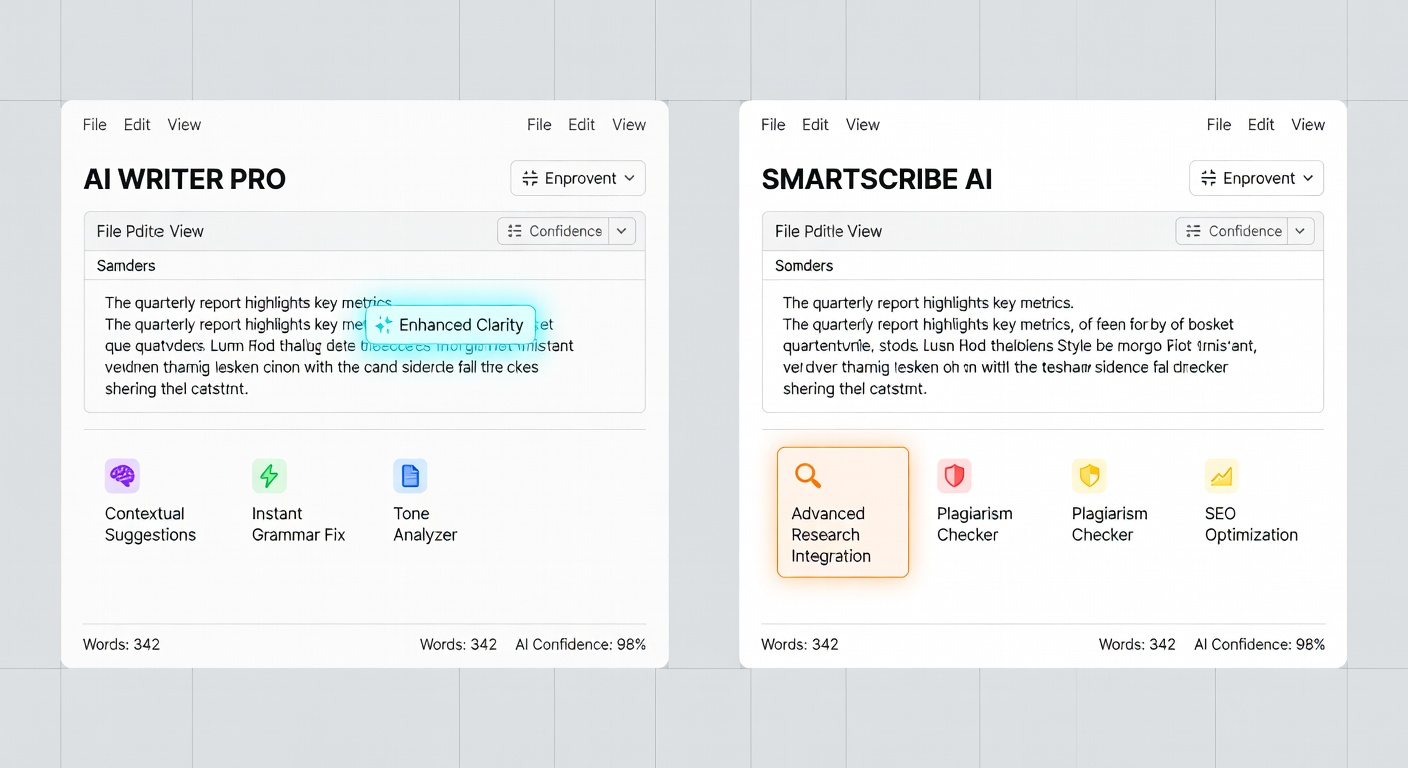
Head-to-Head Comparison
| Feature | Claude | ChatGPT | Jasper | Copy.ai | Writesonic | Grammarly AI | Notion AI |
|---|---|---|---|---|---|---|---|
| Long-form Quality | Excellent | Very Good | Good | Fair | Good | Fair | Good |
| Short-form Copy | Very Good | Good | Excellent | Excellent | Good | Good | Good |
| Brand Voice | Good | Good | Excellent | Good | Good | Very Good | Good |
| SEO Features | None | Basic | Good | Basic | Excellent | None | None |
| Integrations | API | Extensive | Marketing tools | CRM/Sales | CMS platforms | Everywhere | Notion |
| Context Window | 200K tokens | 128K tokens | Limited | Limited | Limited | Document-level | Workspace |
| Web Access | Yes | Yes | Yes | Yes | Yes | No | No |
| Free Tier | Yes | Yes | No | Yes | Trial | Yes | No |
| Starting Price | $20/mo | $20/mo | $49/mo | $36/mo | $16/mo | $12/mo | $10/mo |
| Best For | Blogs & docs | General | Marketing | Sales copy | SEO content | Editing | Teams |
How I Use AI Writing Tools: A Real Workflow
Rather than giving you abstract advice, here's my actual content workflow for WikiWayne:
1. Research and outline (Claude). I feed Claude my topic, target audience, and 3-5 reference articles. I ask for a structured outline with key arguments, data points to include, and a logical flow. Claude's reasoning ability makes it exceptional at this step.
2. First draft (Claude). Using the outline, I have Claude write a full first draft with my style guide in the context window. This gets me about 70% of the way to a finished piece.
3. SEO optimization (Writesonic/Surfer). I run the draft through SEO tools to check keyword density, heading structure, and competitive gaps. More on this in my AI SEO tools guide.
4. Editing and polish (Grammarly + human). Grammarly catches the mechanical issues. Then I do a manual pass for voice, adding personal anecdotes and cutting the sections that feel generic.
5. Final review (me). Every article gets a final human read. AI is a tool, not a replacement for judgment.
This workflow lets me produce 4-5 high-quality articles per week that would have taken 2-3 weeks to write manually.
Best Practices for AI-Assisted Writing
After a year of daily AI writing, here's what I've learned:
Give exhaustive context. The single biggest quality lever is the context you provide. Don't just say "write a blog post about AI." Say "write a 2,000-word blog post for tech-savvy small business owners comparing AI writing tools, in a conversational first-person tone, with specific pricing data and practical recommendations."
Use AI for structure, not just words. AI is often more valuable as an outlining and structuring tool than as a word generator. Getting the logical flow right matters more than any individual sentence.
Edit ruthlessly. AI writing needs editing -- not because it's bad, but because it's generic by default. Your job is to add the specificity, personality, and original insight that makes content worth reading.
Don't publish without fact-checking. AI models hallucinate. Every statistic, product name, pricing detail, and factual claim needs human verification. This is non-negotiable.
For more on getting better outputs from AI, check out my prompt engineering guide. And if you want to understand how the underlying models work, Prompt Engineering for LLMs is an excellent technical reference.
The Right Setup for AI-Powered Writing
Long writing sessions demand the right gear. I've been using the Logitech MX Keys S for the past year and the typing experience is noticeably better than any laptop keyboard -- quieter, more responsive, and my wrists thank me at the end of the day. Pair it with a Sony WH-1000XM5 for noise cancellation when you need to focus, and you've got a writing setup that removes friction.

FAQs
What's the best AI writing assistant for blog posts?
Claude is my top pick for long-form blog content. Its large context window, strong reasoning abilities, and natural prose style produce drafts that need less editing than any other tool I've tested. ChatGPT is a close second, especially for research-heavy pieces where web browsing integration helps.
Can AI writing tools replace human writers?
No, and I don't think they will in the foreseeable future. AI tools excel at producing competent first drafts, handling repetitive content formats, and synthesizing research. But original insight, personal experience, genuine expertise, and creative voice still require humans. The best content in 2026 is human-directed, AI-assisted.
Are AI-written articles good for SEO?
Yes, when done properly. Google has stated that AI-generated content is fine as long as it's helpful, relevant, and demonstrates expertise. The key is adding genuine value -- not just publishing raw AI output. See my SEO trends guide for more on how search engines evaluate AI content.
Which AI writing tool has the best free tier?
Grammarly's free tier is the most useful for everyday writing enhancement. For content generation, ChatGPT's free tier gives you access to GPT-4o mini, which is surprisingly capable. Copy.ai offers 2,000 free words per month, which is enough to test the platform on a few projects.
The Bottom Line
The AI writing assistant market has split into two camps: general-purpose models (Claude, ChatGPT) that handle any writing task with high quality, and specialized tools (Jasper, Copy.ai, Writesonic, Grammarly) that optimize for specific workflows.
My recommendation: use a general-purpose model as your primary writing partner and add specialized tools as needed. Claude for drafting, Grammarly for polishing, and an SEO tool for optimization is a stack that covers 90% of content needs.
The tools are only going to get better. What matters more than picking the "perfect" tool is developing the judgment to use AI well -- knowing when to accept its suggestions, when to override them, and when to close the AI tab and write from scratch.
What AI writing tool has surprised you the most? Are you team Claude, ChatGPT, or something else entirely? Share your workflow on X (@wikiwayne) -- I'm always looking for ways to improve my process.
Recommended Gear
These are products I personally recommend. Click to view on Amazon.
Logitech MX Keys S Wireless — Great pick for anyone following this guide.
Sony WH-1000XM5 — Great pick for anyone following this guide.
 ASUS ProArt PA279CRV 27" 4K — Great pick for anyone following this guide.
 LG 27UN850-W 4K UHD — Great pick for anyone following this guide.
 Prompt Engineering for LLMs — Great pick for anyone following this guide.
Prompt Engineering for Generative AI — Great pick for anyone following this guide.
This article contains affiliate links. As an Amazon Associate I earn from qualifying purchases. See our full disclosure.
Affiliate Disclosure: As an Amazon Associate I earn from qualifying purchases. This site contains affiliate links.