Disclosure: As an Amazon Associate I earn from qualifying purchases. This site contains affiliate links.

AI Prompt Engineering Guide: Write Better Prompts in 2026

Local LLMs on NVIDIA Spark / ASUS GX10
Why Prompt Engineering Still Matters in 2026
There is a popular claim floating around that prompt engineering is dead -- that modern LLMs are smart enough to understand whatever you throw at them. Having used Claude Opus 4.6, GPT-5.2, and Gemini 3.1 extensively, I can tell you this is not true. Yes, models are more forgiving of poorly structured prompts than they were two years ago. But the gap between a mediocre prompt and a great one still translates into dramatically different results.
The difference is not about tricking the model. It is about communicating clearly. The same way a well-written brief gets better results from a human contractor, a well-structured prompt gets better results from an LLM.
In this guide, I will cover the techniques that actually work in 2026, with real examples you can adapt to your own tasks.
The Fundamentals
Before diving into advanced techniques, let us nail the basics that apply to every prompt you write.
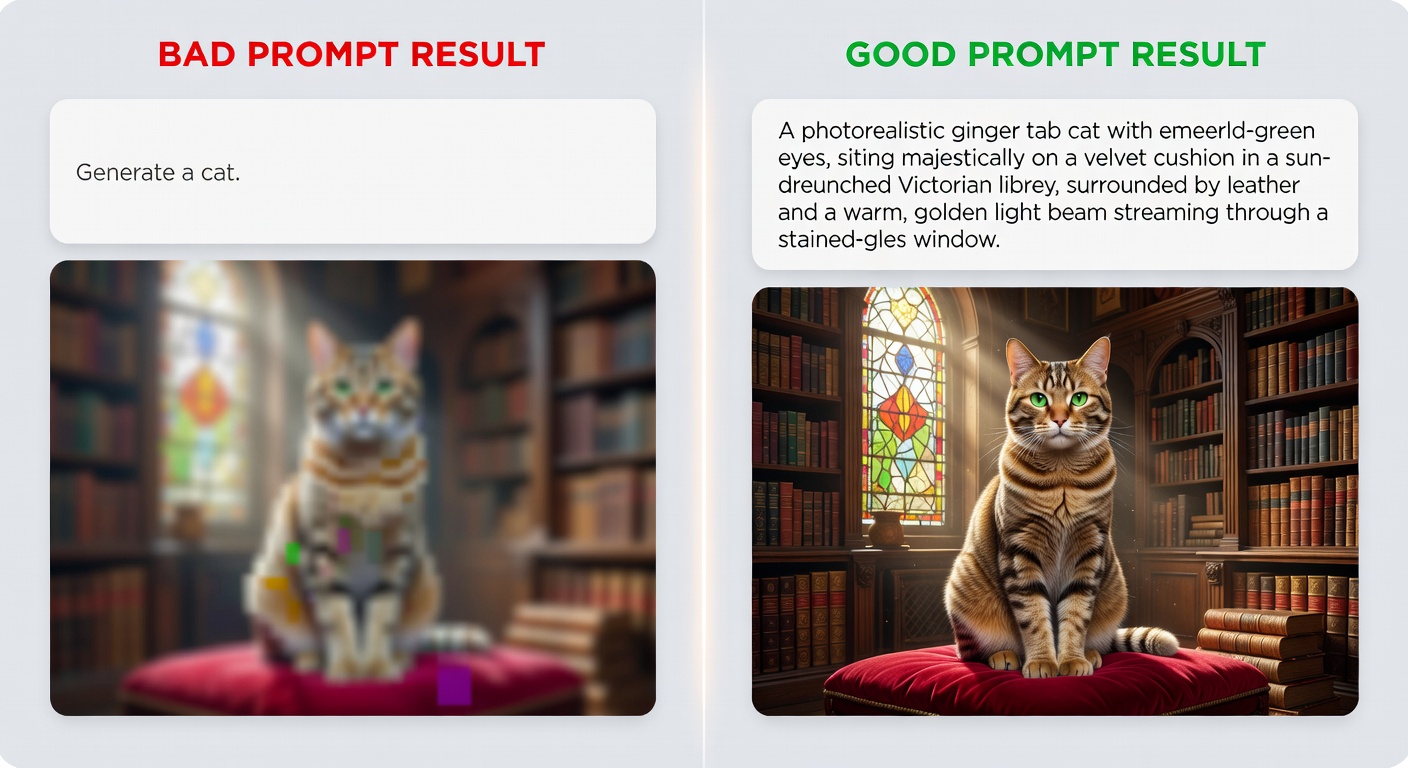
Be Specific
The number one improvement most people can make is simply being more specific about what they want.
-- Vague prompt --
Write about dogs.

-- Specific prompt --
Write a 300-word informational paragraph about the health benefits
of adopting senior dogs (ages 7+), targeted at first-time dog owners.
Include 2-3 specific health studies or statistics.
Tone: warm but evidence-based.
Provide Context
LLMs do not know your situation unless you tell them. Context turns a generic answer into a useful one.
-- Without context --
How should I structure my database?

-- With context --
I'm building a multi-tenant SaaS app using PostgreSQL.
Each tenant has 10-50 users and up to 100K records.
I need to support tenant isolation, efficient queries
across tenants for admin reporting, and easy data export.
Current stack: Node.js, Prisma ORM, deployed on AWS RDS.
How should I structure my database schema?
Define the Output Format
Tell the model exactly what format you want the response in:
Analyze these three marketing strategies and present your findings as:
1. A comparison table with columns: Strategy, Cost, Expected ROI, Timeline, Risk Level
2. A brief paragraph (3-4 sentences) summarizing your recommendation
3. A bullet list of 3 action items to implement the recommended strategy
Technique 1: Chain-of-Thought Prompting
Chain-of-thought (CoT) prompting asks the model to show its reasoning step by step before arriving at an answer. This dramatically improves accuracy on complex problems.
Basic Chain-of-Thought
Solve this step by step:

A store has 150 items. On Monday, 23% were sold. On Tuesday,
15 more items arrived and 31 items were sold. On Wednesday,
40% of the remaining items were sold. How many items remain?

Show each step of your calculation.
Zero-Shot Chain-of-Thought
Sometimes just adding "Let's think step by step" or "Think through this carefully" is enough:
A company's revenue grew 12% in Q1, declined 5% in Q2,
grew 18% in Q3, and grew 3% in Q4. If they started the year
with $10M in quarterly revenue, what was their total annual revenue?

Let's think through this step by step.
When to Use Chain-of-Thought
- Math and logic problems
- Multi-step reasoning tasks
- Code debugging (trace the execution)
- Complex analysis with multiple factors
- Any task where the intermediate reasoning matters
Technique 2: Few-Shot Prompting
Few-shot prompting means giving the model examples of the input-output pattern you want before asking it to handle new input.
Example: Classifying Customer Feedback
Classify the following customer feedback into categories.

Example 1:
Feedback: "The checkout process took forever, had to click through 6 pages"
Category: UX/Usability
Sentiment: Negative
Priority: Medium

Example 2:
Feedback: "Love the new dark mode! My eyes thank you"
Category: Feature Feedback
Sentiment: Positive
Priority: Low

Example 3:
Feedback: "I was charged twice for my subscription this month"
Category: Billing
Sentiment: Negative
Priority: High

Now classify this feedback:
Feedback: "The mobile app crashes every time I try to upload a photo"
Tips for Effective Few-Shot Prompting
- Use 2-5 examples -- more is usually not better
- Cover edge cases in your examples
- Be consistent in formatting across examples
- Include examples of each category you want the model to recognize
- Order matters -- put the most relevant examples last
Technique 3: System Prompts
System prompts set the context and behavior for an entire conversation. They are the most powerful tool for getting consistent results, especially if you use AI regularly for specific tasks.
System Prompt Structure
I follow this template for all my system prompts:
Role:
You are a [specific role] with expertise in [domain].

Context:
[Background information the model needs]

Task:
[What the model should do]

Guidelines:
- [Specific behavior 1]
- [Specific behavior 2]
- [Specific behavior 3]

Output Format:
[Expected format of responses]

Constraints:
- [What the model should NOT do]
- [Limitations to respect]
Real System Prompt: Code Reviewer
Role:
You are a senior software engineer conducting code reviews.

Context:
You are reviewing TypeScript code for a production web application.
The codebase follows functional programming patterns, uses
React with hooks, and Zod for validation.

Task:
Review code submitted by the user. Identify bugs, security
issues, performance problems, and style inconsistencies.

Guidelines:
- Rate each issue as Critical, High, Medium, or Low severity
- Explain WHY something is a problem, not just WHAT
- Provide a corrected code snippet for Critical and High issues
- Acknowledge good patterns when you see them
- Be direct but constructive

Output Format:
For each issue:
**[Severity] - Brief Title**
Line(s): X-Y
Problem: [explanation]
Fix: [code snippet if applicable]

Constraints:
- Do not refactor working code just for style preferences
- Focus on the changed lines, not the entire file
- If no issues found, confirm the code looks good
System prompts are available in Claude (via Projects or API), ChatGPT (Custom Instructions or API), and Gemini (via API). See our Claude guide for details on setting them up.
Technique 4: Structured Output
When you need the model to return data in a specific format -- JSON, XML, CSV, Markdown tables -- be explicit about the structure.
JSON Output
Analyze this product description and extract structured data.
Return ONLY a JSON object with no additional text.

Product: "The UltraFit Pro 3000 is a compact home gym that folds
flat for storage. Features 60+ exercises, adjustable resistance
from 5-300 lbs, and a built-in workout tracker. $1,499."

Required JSON format:
{
  "name": "string",
  "category": "string",
  "key_features": ["string"],
  "price": number,
  "target_audience": "string",
  "unique_selling_points": ["string"]
}
Markdown Table Output
Compare these three JavaScript frameworks. Present as a Markdown table.

Columns: Framework | Learning Curve | Performance | Ecosystem | Best For
Frameworks: React, Vue, Svelte

Include a 1-sentence summary below the table.
Using Schema Definitions
For API applications, providing a JSON schema is the most reliable way to get structured output:
import anthropic

client = anthropic.Anthropic()

response = client.messages.create(
    model="claude-opus-4-6",
    max_tokens=1024,
    messages=[{
        "role": "user",
        "content": """Extract entities from this text and return JSON.

        Schema:
        {
            "people": [{"name": str, "role": str}],
            "organizations": [{"name": str, "type": str}],
            "dates": [{"date": str, "event": str}]
        }

        Text: "On January 15th, CEO Sarah Chen announced that
        Acme Corp would acquire startup NovaTech for $2.3 billion."
        """
    }]
)

Technique 5: Prompt Chaining
Prompt chaining breaks a complex task into a sequence of simpler prompts, where each prompt's output feeds into the next.
Example: Content Creation Pipeline
Prompt 1 -- Research Phase:
Research the topic "edge computing trends in 2026" and provide:
- 5 key trends with brief descriptions
- 3 recent statistics or data points
- 2 expert opinions or quotes to reference
- Target audience: IT decision makers
Prompt 2 -- Outline Phase (uses output from Prompt 1):
Using the research below, create a blog post outline.
Structure: Introduction, 5 main sections (one per trend),
conclusion with actionable takeaways.
Each section needs: H2 heading, 3-4 bullet points of content,
1 supporting data point.

[Research from Prompt 1]
Prompt 3 -- Writing Phase (uses output from Prompt 2):
Write the full blog post from this outline.
Tone: Professional but accessible. No jargon without explanation.
Length: 1,500-2,000 words.
Include a comparison table in section 3.
End with 3 specific action items.

[Outline from Prompt 2]
Why Chaining Works
- Each step is simple enough for the model to do well
- You can review and adjust between steps
- Errors are caught early before they compound
- Each prompt stays within a manageable scope
This is exactly how AI agents work internally -- they chain together multiple LLM calls with tool use to accomplish complex tasks.
Technique 6: Role Prompting
Assigning the model a specific role or persona shapes how it approaches a task.
You are a DevOps engineer with 15 years of experience.
You specialize in Kubernetes, AWS, and CI/CD pipelines.
You prefer pragmatic solutions over theoretical perfection.
When something could go wrong in production, you always mention it.

Review this Kubernetes deployment configuration and suggest
improvements for reliability and cost optimization.
Effective Roles
| Role | Good For |
|---|---|
| Senior engineer | Code review, architecture decisions |
| Technical writer | Documentation, explanations |
| Data analyst | Data interpretation, statistical analysis |
| Product manager | Feature prioritization, user stories |
| Security auditor | Vulnerability assessment, best practices |
| ELI5 teacher | Simplifying complex concepts |
Technique 7: Constraint Prompting
Sometimes telling the model what NOT to do is as important as telling it what to do:
Explain quantum computing to a 12-year-old.

Constraints:
- No technical jargon (no "superposition", "qubit", "entanglement"
  without immediately explaining in plain English)
- No analogies involving cats (yes, skip Schrodinger)
- Under 200 words
- Use one concrete real-world example
- Do not say "imagine" more than once
Coding-Specific Prompt Techniques
Since many readers of WikiWayne are developers, here are prompting techniques specific to coding tasks.
The Specification Prompt
Write a TypeScript function with these specifications:

Function: validateEmail
Input: string (email address)
Output: { valid: boolean, reason?: string }

Requirements:
- Check for @ symbol and domain
- Reject disposable email domains (list: mailinator, tempmail, guerrillamail)
- Max length 254 characters
- Must match RFC 5322 simplified pattern
- Return specific reason on failure

Include:
- JSDoc comments
- 5 unit test cases (3 valid, 2 invalid)
- Edge case handling for null/undefined input
The Debug Prompt
This function is supposed to debounce API calls but users report
it fires on every keystroke. Find the bug.

[paste code here]

Before suggesting a fix:
1. Trace through the execution with a specific example
2. Identify the exact line where the logic breaks
3. Explain why it breaks
4. Then provide the corrected code
The Refactor Prompt
Refactor this code. Priorities in order:
1. Fix any bugs
2. Improve readability
3. Add error handling
4. Optimize performance (only if there's a meaningful gain)

Keep the same public API. Add comments only where the logic
is non-obvious. Show me a diff-style output.
For a comprehensive look at prompt engineering theory and practice, Prompt Engineering for LLMs is the book I recommend most. It goes deeper on each of these techniques with many more examples.
Common Mistakes to Avoid
1. Prompt Stuffing
Do not cram everything into one enormous prompt. If your prompt is over 500 words, consider breaking it into a chain.
2. Contradictory Instructions
"Be concise but also be thorough and cover every edge case" -- these are contradictory. Pick a priority.
3. Assuming the Model Remembers
Each conversation turn is a fresh context. If you established something important earlier in the conversation, reference it explicitly when needed.
4. Not Iterating
Your first prompt is a draft. If the output is not quite right, refine the prompt rather than starting over. Small adjustments often yield big improvements.
5. Ignoring Model Differences
Claude, GPT, and Gemini respond differently to the same prompt. What works perfectly for one may need adjustment for another. Our model comparison guide covers these differences in detail.
A Prompt Engineering Workflow
Here is the process I follow for important prompts:
- Draft the prompt with clear role, context, task, and format
- Test it with a representative example
- Evaluate the output against your expectations
- Refine the prompt based on what was wrong or missing
- Test again with a different example to check consistency
- Save the final prompt in your prompt library for reuse
Treat prompts like code: version them, test them, and iterate on them.
Building Your Prompt Library
I keep a collection of proven prompts organized by category. Here is a starter template:
# prompt-library.yaml
prompts:
  code_review:
    name: "TypeScript Code Review"
    system: "You are a senior TypeScript engineer..."
    template: "Review this code for {focus_areas}..."
    variables: ["focus_areas", "severity_threshold"]
    works_best_with: "claude-opus-4-6"

  blog_outline:
    name: "Blog Post Outline Generator"
    system: "You are a content strategist..."
    template: "Create an outline for a post about {topic}..."
    variables: ["topic", "audience", "word_count"]
    works_best_with: "claude-sonnet-4-5"
Having a library saves time and ensures consistency. If you work with AI agents like OpenClaw, your prompt library becomes even more valuable since you can feed these templates into agent workflows.
Key Takeaways
- Specificity wins: The more precise your prompt, the better the result
- Structure matters: Use roles, context, tasks, and format specifications
- Chain complex tasks: Break big problems into smaller prompts
- Show, don't just tell: Few-shot examples are powerful
- Iterate: Treat prompts like code that improves over time
- Match the technique to the task: Not every prompt needs every technique
Prompt engineering is not a dark art. It is clear communication applied to AI. The better you communicate what you want, the better results you get. That has always been true of working with any intelligent system, artificial or human.
Got a prompting technique that works well for you? Share it on X (@wikiwayne) -- I collect community favorites and update this guide regularly.
Recommended Gear
These are products I personally recommend. Click to view on Amazon.
Prompt Engineering for Generative AI — Great pick for anyone following this guide.
Prompt Engineering for LLMs — Great pick for anyone following this guide.
 AI Engineering by Chip Huyen — Great pick for anyone following this guide.
Designing ML Systems by Chip Huyen — Great pick for anyone following this guide.
 Clean Code by Robert C. Martin — Great pick for anyone following this guide.
 Logitech MX Keys S Wireless — Great pick for anyone following this guide.
This article contains affiliate links. As an Amazon Associate I earn from qualifying purchases. See our full disclosure.
Affiliate Disclosure: As an Amazon Associate I earn from qualifying purchases. This site contains affiliate links.