Event Horizon
PL-184MediumSpaceThree.js, WebGL shaders
A real-time gravitational lensing shader with an accretion disk, starfield, orbit camera and slider input.
Remastered from PL-146 (original text not on file)
Event Horizon
Download fileMade for ChatGPT, Claude, Gemini, Grok and other AI tools
How to run
- Download the file or copy the prompt.
- Upload or paste it into any AI chat or coding tool, and send.
- Save the HTML it gives you as a file and open it in Chrome.
- Open it with ?test=1 and look in the browser console for the TEST lines.
What it tests
A real-time gravitational lensing shader with an accretion disk, starfield, orbit camera and slider input.
The checks
Show the 5 checks
- At t = 0 at 1280x720: all stats() counters are zero; starCount() is 1200; camera() is az 0, el 20, dist 9 (each within 0.01); the pixel at (640, 360) has luminance below 0.02 (luminance = (0.2126 R + 0.7152 G + 0.0722 B) / 255); in the 3-row strip y 359..361, x 900..1199, at least 540 of the 900 pixels have luminance above 0.08 (the disk); in the strip y 0..99 (the whole width) at least 15 pixels have luminance above 0.3 (stars); layout().slider is at least 160 px wide and 44 px tall and inside the window, and layout().hud is 48 px tall and sits at the bottom edge.
- After attract(false), setDisk(false), setCameraOrbit(0, 0, 9) and advance(0), at 1280x720: scanning right from the center along the row y = 360, the first pixel with luminance of at least 0.2 is 233 px from the center (within 8 px) and every pixel on that row up to 225 px from the center has luminance below 0.02; in each of the four directions (right, left, up, down) the brightest pixel between 260 and 350 px from the center has luminance of at least 0.9 and lies between 298 and 329 px from the center (the Einstein ring of the beacon).
- After attract(false): a real pointer drag on the canvas (pointerdown at (400, 300), five pointermove steps to (500, 300), pointerup) gives camera() az 30 (within 0.5) and el 20 (within 0.5); a second drag from (500, 300) to (500, 260) gives el 32 (within 0.5) and drags 2; a wheel event with deltaY 100 gives dist 9.947 (within 0.05) and zooms 1; setCameraOrbit(0, 95, 1) gives el 80, dist 4 and az 0 (clamped); a wheel event with deltaY 3000 gives dist 20 and zooms 2; setCameraOrbit(10, -95, 2) gives el -80, dist 4 and az 10; the pixel at (640, 360) still has luminance below 0.02 at dist 4.
- After attract(false): diskAngle() is 0 and pulses 0; in the rectangle (0, 200, 1280, 320) at least 10% of the pixels change by 25 or more in some color channel between advance(0) and advance(2.5) (the disk turns, diskAngle() is 90 within 0.5); advance(2.4) more gives diskAngle() 176.4 (within 0.5) and pulses 0; advance(0.2) more gives 183.6 (within 0.5) and pulses 1; setting the real slider (input#diskSpeed value "2", then an "input" event) gives speedChanges 1; advance(2.4) gives diskAngle() 356.4 (within 0.5) and pulses 1; advance(0.2) gives 370.8 (within 0.5) and pulses 2; setDiskSpeed(0) gives speedChanges 2 and advance(5.0) leaves diskAngle() at 370.8 (within 0.1) with pulses 2; pulseSounds equals pulses throughout.
- On a fresh load with the demo running: at t = 5.2 pulses is 1 and at t = 10.2 pulses is 2; at t = 11.0 camera() az is 55 (within 0.4) and dist is 7.25 (within 0.05); at t = 14.2 speedChanges is 1 and at t = 14.7 pulses is 3; at t = 17.0 el is 35 (within 0.4); at t = 19.7 pulses is 5; at t = 21.2 speedChanges is 2; at t = 23.0 dist is 7.25 (within 0.05); at t = 27.7 az is 70 (within 0.4), el is 20 (within 0.4), dist is 9 (within 0.05), diskAngle() is 1249.2 (within 1.5), pulses is 6, pulseSounds equals pulses, drags and zooms are 0, and the run has zero console errors.
Runs by model
No runs posted yet. Be the first: post yours and tag @wikiwayne.
Show the full prompt
EVENT HORIZON: Lensed Black Hole with a Spinning Neon Accretion Disk
HOOK OBJECT: window.__horizon

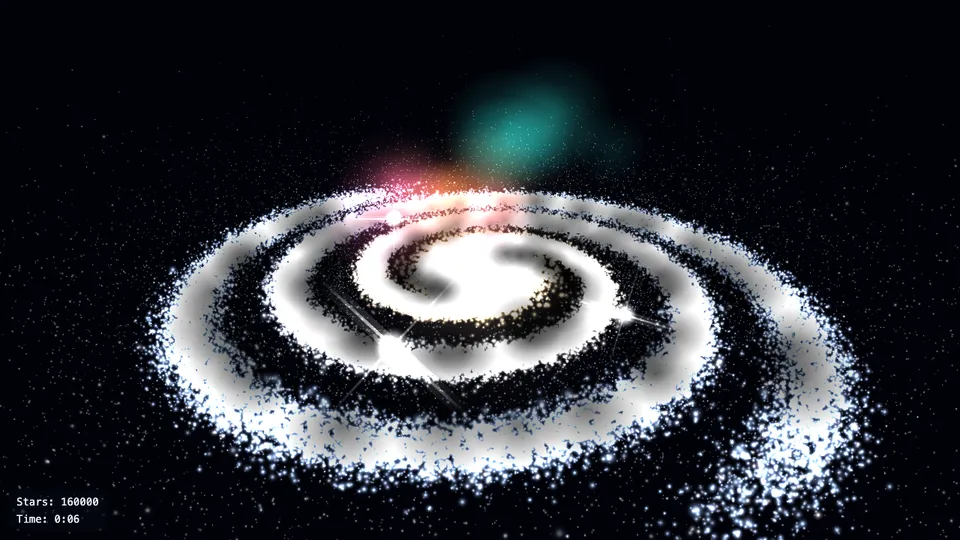
Build "EVENT HORIZON": a full-screen, real-time black hole drawn by a gravitational-lensing fragment shader (Three.js with one full-screen quad and a ShaderMaterial, nothing else in the scene). A pure black shadow sits inside a glowing magenta-to-cyan accretion disk, the sky bends into arcs and an Einstein ring around it, and you orbit it by dragging, zoom with the wheel or a pinch, and speed the disk up or slow it down with a slider. It is fun to keep watching because the far side of the disk arches up over the shadow and the whole starfield swims as the camera moves.

LOOK
- Style: neon synthwave cosmos. Palette: space #05010F to #14062B, disk inner magenta #FF2BD6, disk outer cyan #28E6FF, photon-ring rim #FFE6FF, beacon #FFFFFF, stars #FFFFFF to #BFD2FF, HUD bar #0B0620 with text #F4E9FF and slider accent #FF2BD6.
- World units: the shadow's impact-parameter limit is 2.6, the camera sits at distance d from the center (default 9, clamp 4 to 20), and the disk lies in the plane y = 0 from radius 3 to radius 9.
- Camera: position = d * (cos(el) sin(az), sin(el), cos(el) cos(az)), looking at the origin with +y up. Landscape or square window: vertical tan(half field of view) = 0.4663 (a 50 degree lens). Portrait window: horizontal tan(half field of view) = 0.36 instead. Defaults az 0, el 20 degrees, d 9. Elevation is clamped to -80..80 degrees.
- Sky: one 2048x1024 equirectangular canvas texture drawn once from seed 360: a soft nebula band (#3A0F5C at no more than 12% brightness), 1,200 stars (each a radial dot 2 texels in radius, peak brightness between 0.5 and 0.75, tints from white to #BFD2FF), and one beacon patch at the exact center of the texture (x 1024, y 512): a disk of angular radius 2 degrees, pure white for the inner 1 degree and fading to nothing at 2 degrees. For a world direction D the lookup is u = atan2(D.x, -D.z) / (2 pi) + 0.5 and v = acos(D.y) / pi measured from the top of the texture, so the world direction (0, 0, -1) lands on the beacon.
- Lensing rule, per pixel in the shader. Build the camera ray direction D. Let n be the unit vector from the camera to the center and phi the angle between D and n. If cos(phi) > 0 the impact parameter is b = d sin(phi).
  1. If cos(phi) > 0 and b < 2.6 the ray is captured: the pixel is pure black #000000.
  2. Otherwise the ray flies straight to its closest approach C (a distance d cos(phi) along D from the camera; there is no C when cos(phi) <= 0), is bent there toward n by alpha = (1.31 / b) * (1 - smoothstep(4.0, 6.5, b)) radians (rotated in the plane of D and n; alpha = 0 when cos(phi) <= 0), then flies on in the bent direction D2 to look up the sky.
  3. If cos(phi) > 0 and 2.6 <= b < 2.8, paint the photon-ring rim over that pixel: color #FFE6FF times (1 - (b - 2.6) / 0.2).
  There is no bloom and no glow anywhere inside the shadow.
- Disk: ray-plane test against y = 0 for radius 3 to 9, first on the straight segment from the camera to C, then (if there was no hit) on the bent segment from C onward; the nearest hit wins, so the far side of the disk is seen bent up over the shadow when the camera is above the plane. Color at radius r and angle ang = atan2(z, x): mix(#FF2BD6, #28E6FF, (r - 3) / 6) times min(1, 1.8 * (3 / r)^1.5) times (0.75 + 0.25 cos(3 (ang - theta(r)) + 6 ln(r / 3))), where theta(r) = radians(diskAngle) * (3 / r)^1.5, so inner rings turn faster than outer rings, like real orbits. With the disk switched off there are no disk hits at all. Output is the shader color as is, with no tone mapping.
- HUD: one solid bar 48 px tall along the bottom edge (opaque #0B0620) drawn over the bottom of the full-window canvas; the canvas itself fills the whole window and the black hole is centered in the window, not above the bar. On windows narrower than 600 px the bar grows to 96 px tall as two rows (slider row, counter row). It holds the label "DISK SPEED", a range slider (id "diskSpeed", 0 to 2, step 0.1, default 1, at least 160 px wide and 44 px tall to grab) and the counter line "pulses P / drags D / zooms Z / changes C", all text at least 14 px.
- FIRST FRAME (t = 0, no input): camera az 0, el 20, d 9, disk speed 1, diskAngle 0. The black shadow is centered in the window with a diameter of about 467 px at 1280x720 (65% of the window height). In portrait (accepted exception to the 50%-of-height rule) the shadow is about 327 px at 390x844, 39% of the height, and the disk spans 84% of the width. The tilted disk crosses in front of the shadow, with its far side bent up over the top, 1,200 stars around it, and nothing but the HUD bar at the bottom.

MOTION / PLAY
- Controls: drag (mouse or one finger) on the canvas orbits: azimuth += 0.3 degrees per px dragged right, elevation += 0.3 degrees per px dragged up (clamped). Mouse wheel zooms: d = clamp(d * exp(deltaY * 0.001), 4, 20). A two-finger pinch zooms (d divided by the ratio of finger spans, clamped). The slider sets the disk speed from 0 to 2. Nothing can move the camera closer than d = 4, so the camera can never enter the hole.
- Disk: diskAngle (degrees) grows by 36 * speed * dt each step, so at speed 1 the inner edge makes one turn every 10 s and at speed 2 one turn every 5 s. Speed 0 freezes it.
- Pulse: every time diskAngle passes another multiple of 180 degrees (a half turn of the inner edge) the pulse sound is triggered once.
- The hook also exposes camera() returning {az, el, dist}, setDiskSpeed(v) (same code path as the slider), diskAngle(), setDisk(on) (false hides the disk), starCount() (1,200), attract(on) (false turns the demo off), pixels(x, y, w, h) returning the RGBA bytes (Uint8ClampedArray, row by row from the top-left) of that CSS-px rectangle of the latest rendered canvas frame, and layout() returning { slider, hud } as {x, y, w, h} in CSS px. With ?test=1 the canvas pixel ratio is 1 and the renderer keeps its drawing buffer, so pixels() works. advance() renders a frame at the end. Hook calls are not user input and do not pause the demo.
- ATTRACT MODE: with no input, a hands-free demo starts on load and loops every 28 s by a clock "ta" that advances with time and with advance(), using smoothstep for the dolly and the elevation (the azimuth drift is linear): ta 0 to 8 s: the azimuth drifts at 5 degrees per second (0 to 40); 8 to 14 s: the camera dollies in from d 9 to d 5.5 while the azimuth keeps drifting (to 70); at 14.0 s the demo sets the disk speed to 2 (through the slider path, the slider thumb jumps); 14 to 20 s: the elevation rises from 20 to 50; 20 to 26 s: the elevation falls back to 20 and the camera dollies out from 5.5 to 9; at 21.0 s the demo sets the disk speed back to 1; 26 to 28 s: hold; at 28.0 s everything cuts back to the t = 0 view (camera defaults, speed 1) while diskAngle, the counters and the stars carry on (8 + 6 + 6 + 6 + 2 = 28 s). Any input takes over; the demo resumes from ta = 0 after 8 s with no input.

SOUND
- Disk half turn (pulse) -> a deep thump (55 Hz sine, 0.35 s decay) with a soft shimmer on top (440 Hz triangle, 0.5 s decay, gain 0.08).
- Slider change -> a short tick (900 Hz, 30 ms). Wheel or pinch zoom step -> a low blip (220 Hz, 40 ms).
- Quiet ambient drone: two sines at 55 Hz and 55.4 Hz at gain 0.05, rising in pitch by 25% as the disk speed goes from 1 to 2.
- With no AudioContext (before the first tap, and in ?test=1) nothing is played, but pulse sounds are still counted.

COUNTERS
stats() returns { fps, pulses, pulseSounds, drags, zooms, speedChanges }.
- pulses: floor(diskAngle / 180), +1 exactly when the inner edge completes another half turn. Never on a timer, never on load.
- pulseSounds: +1 each time the pulse sound is triggered, whether or not sound is on. It always equals pulses.
- drags: +1 when a pointer drag on the canvas ends after moving at least 4 px.
- zooms: +1 per wheel event and +1 per finished pinch.
- speedChanges: +1 each time the disk speed changes value (slider, hook or demo).
- On screen: the counter line in the HUD bar, readable in a paused frame and never over the black hole.

CHECKS for ?test=1
With ?test=1, run an accelerated self-test that measures real positions and real events (not self-set flags) and logs "TEST n PASS" or "TEST n FAIL: reason" to the console and to window.__testResults:
Each check starts from a fresh load; advance() steps in 1/60 s increments.
1. At t = 0 at 1280x720: all stats() counters are zero; starCount() is 1200; camera() is az 0, el 20, dist 9 (each within 0.01); the pixel at (640, 360) has luminance below 0.02 (luminance = (0.2126 R + 0.7152 G + 0.0722 B) / 255); in the 3-row strip y 359..361, x 900..1199, at least 540 of the 900 pixels have luminance above 0.08 (the disk); in the strip y 0..99 (the whole width) at least 15 pixels have luminance above 0.3 (stars); layout().slider is at least 160 px wide and 44 px tall and inside the window, and layout().hud is 48 px tall and sits at the bottom edge.
2. After attract(false), setDisk(false), setCameraOrbit(0, 0, 9) and advance(0), at 1280x720: scanning right from the center along the row y = 360, the first pixel with luminance of at least 0.2 is 233 px from the center (within 8 px) and every pixel on that row up to 225 px from the center has luminance below 0.02; in each of the four directions (right, left, up, down) the brightest pixel between 260 and 350 px from the center has luminance of at least 0.9 and lies between 298 and 329 px from the center (the Einstein ring of the beacon).
3. After attract(false): a real pointer drag on the canvas (pointerdown at (400, 300), five pointermove steps to (500, 300), pointerup) gives camera() az 30 (within 0.5) and el 20 (within 0.5); a second drag from (500, 300) to (500, 260) gives el 32 (within 0.5) and drags 2; a wheel event with deltaY 100 gives dist 9.947 (within 0.05) and zooms 1; setCameraOrbit(0, 95, 1) gives el 80, dist 4 and az 0 (clamped); a wheel event with deltaY 3000 gives dist 20 and zooms 2; setCameraOrbit(10, -95, 2) gives el -80, dist 4 and az 10; the pixel at (640, 360) still has luminance below 0.02 at dist 4.
4. After attract(false): diskAngle() is 0 and pulses 0; in the rectangle (0, 200, 1280, 320) at least 10% of the pixels change by 25 or more in some color channel between advance(0) and advance(2.5) (the disk turns, diskAngle() is 90 within 0.5); advance(2.4) more gives diskAngle() 176.4 (within 0.5) and pulses 0; advance(0.2) more gives 183.6 (within 0.5) and pulses 1; setting the real slider (input#diskSpeed value "2", then an "input" event) gives speedChanges 1; advance(2.4) gives diskAngle() 356.4 (within 0.5) and pulses 1; advance(0.2) gives 370.8 (within 0.5) and pulses 2; setDiskSpeed(0) gives speedChanges 2 and advance(5.0) leaves diskAngle() at 370.8 (within 0.1) with pulses 2; pulseSounds equals pulses throughout.
5. On a fresh load with the demo running: at t = 5.2 pulses is 1 and at t = 10.2 pulses is 2; at t = 11.0 camera() az is 55 (within 0.4) and dist is 7.25 (within 0.05); at t = 14.2 speedChanges is 1 and at t = 14.7 pulses is 3; at t = 17.0 el is 35 (within 0.4); at t = 19.7 pulses is 5; at t = 21.2 speedChanges is 2; at t = 23.0 dist is 7.25 (within 0.05); at t = 27.7 az is 70 (within 0.4), el is 20 (within 0.4), dist is 9 (within 0.05), diskAngle() is 1249.2 (within 1.5), pulses is 6, pulseSounds equals pulses, drags and zooms are 0, and the run has zero console errors.

KEEP IT SHORT
- Keep the whole file under about 1,500 lines (soft target) so you can write it in one pass and finish well inside 15 minutes.
- Save lines with helpers, loops and instancing, not by dropping features. Everything above must really work: no placeholders, no TODOs.

BUILD RULES (all required):
- Deliver ONE self-contained HTML file: inline CSS and JS, no build step, no local assets. Libraries only from a CDN. If you use Three.js, use exactly this import map: {"imports":{"three":"https://cdn.jsdelivr.net/npm/three@0.160.0/build/three.module.js","three/addons/":"https://cdn.jsdelivr.net/npm/three@0.160.0/examples/jsm/"}}
- It must open straight from disk in desktop Chrome and on an iPhone (Safari), fill the full screen, handle resize and touch, and stay smooth (target 60 fps).
- It must look stunning in the very FIRST frame: no black screen, no loading wait, no tiny subject. The main subject fills at least 50% of the screen height.
- SOUND (required): all sound is made in code with Web Audio (no audio files). Show a small "🔊 TAP FOR SOUND" chip; on the first tap create ONE AudioContext, route everything through a master gain of 0.6 into a DynamicsCompressor, and hide the chip. Also expose enableAudio() on the hook object named at the top.
- Expose the hook object named at the top with: setCameraOrbit(azimuthDeg, elevationDeg, distance) (or an equivalent camera setter), advance(seconds) that steps the simulation exactly that much for still captures, enableAudio(), and stats() returning {fps, ...the counters named above}. Use a fixed random seed of 360 so every run is the same.
- Every on-screen counter must count a real event you can see happen. No fake numbers.
- No text overlapping the subject; any label must be readable in a paused frame.
- No brand logos, no real people, no copyrighted characters, brand names or logos.

FAILURE MODES TO AVOID
- A blank or black page because the shader failed to compile, or a shader that is lensed everywhere like a full-screen fisheye instead of a black shadow with an Einstein ring around it.
- A shadow that is not pure black, or that glows inside; a shadow that is the wrong size (it must follow b < 2.6 exactly).
- A flat, unlensed disk with no far side bent over the top; a disk that is just a spinning texture and ignores the camera.
- Drag or touch that does not move the camera, a wheel that does nothing, or a camera that can get inside the hole (distance below 4).
- A disk that turns at the same rate at every radius, ignores the slider, or pulses on a timer instead of at each half turn of the inner edge.
- Fewer than 1,200 stars, stars that are missing or only a flat black sky, or a sky texture with a visible seam.
- Counters stuck at 0 or ticking on a timer; pulseSounds not matching pulses.
- Text over the black hole, a HUD bar you cannot read, or a slider too small to use on a phone.
- A demo that crashes or leaves the camera inside the shadow in the first 10 s.
- The same variable declared twice, or methods called on objects that don't exist yet.

SELF-TEST LOOP
- If you can run code: build the file, open it, read the console, run ?test=1, and take screenshots at 3 s, 10 s and 30 s at 1280x720 and 390x844. Look at the screenshots and fix what looks wrong. Fix and retest until all 5 checks pass with zero console errors. Mark anything you could not run as UNMEASURED; never invent results.
- If you are chat-only: go through this prompt line by line, check your code against each line, and fix anything that would fail. Then write one corrected, complete file.
- Final answer: ONE complete HTML file in ONE code block, then the 5 checks marked PASS, FAIL or UNMEASURED. No snippets, no "rest unchanged".
Built one? Post it on X and tag @wikiwaynePost on X