Disclosure: As an Amazon Associate I earn from qualifying purchases. This site contains affiliate links.
The AI Hardware I Own: ASUS Ascent GX10, a Mac mini and a MacBook Pro

Local LLMs on NVIDIA Spark / ASUS GX10
I run AI on hardware I own. Three machines. One ASUS Ascent GX10, one Mac mini and one MacBook Pro. That's the whole stack.
This post is about what each one actually does for me. Not what the spec sheet says it could do. Only what my receipts show.
Why I run AI on my own hardware
I want to know what a model does on a box I can touch. Cloud numbers are useful. But I like to load the weights, run the job, and write down what happened.
So everything on this site starts with a receipt. A run log, a recording, a cost line. If I can't point to a file, I don't say it.
The ASUS Ascent GX10: my local AI box
The GX10 is the center of it all. It has 128GB of memory and the NVIDIA GB10 chip. It's the same GB10 platform as DGX Spark.
Here's what it does for me.
It runs local models. Small ones, big quantized ones, a router setup with two models behind it. I wrote that up in The Local Models I Actually Run on My GX10.
It renders. My nature reel, Wild & Wonderful, started on the GX10. 20 video shots and the narration rendered there. Then my bots finished the edit.
It runs Hermes Agent. I talk to it over Telegram and it does the work on the GX10. More on that in Hermes Agent on My GX10, Over Telegram.
It runs my gauntlet and fit jobs. One of my bots has that exact job: run the gauntlet and fit jobs on the GX10.
I also had a board of AI advisors look at buying a second GB10. They told me to wait. The reason was simple. I hadn't named one job my GX10 couldn't already do. That's a fair hit, and I still don't have an answer.
The Mac mini: where my game recordings come from
The Mac mini is an Apple M4. Its job is recording.
When a model builds a browser game or a 3D scene for one of my tests, I open it in real Chrome on the Mac mini and record it. That's where the clips in my posts come from.
A few real lines from those recordings:
- A juggling clown scene, recorded on the Mac mini with 0 console errors.
- A Three.js snow globe with 2,000 snowflakes from Kimi K3.1 Pro. 99.97 fps average on the Mac mini, 0 console errors.
- My Endless Neighborhood Day series. Round 9 ran 58 to 60 fps on the Mac mini. Round 10 ran about 100.
One time an agent said all 9 criteria passed. I checked it on the Mac mini. Not all of it held up. That's the reason the Mac mini exists in this stack. A model's own report is not the receipt. The recording is.
The MacBook Pro: the second recorder and test bench
The MacBook Pro is an M4 Max. It backs up the Mac mini.
When the Mac mini was locked by another job, the game recordings moved to the MacBook and ran at about 120 fps. Two of my video builds, Brick Island Eruption and Skeleton Watch Exploded, were recorded on it.
I also ran a mystery stealth model, Space Bunny Alpha, through my AI Model Arena on the MacBook Pro. 10 browser demo prompts, one shot each, no edits.
How the three machines work together
It's a simple split.
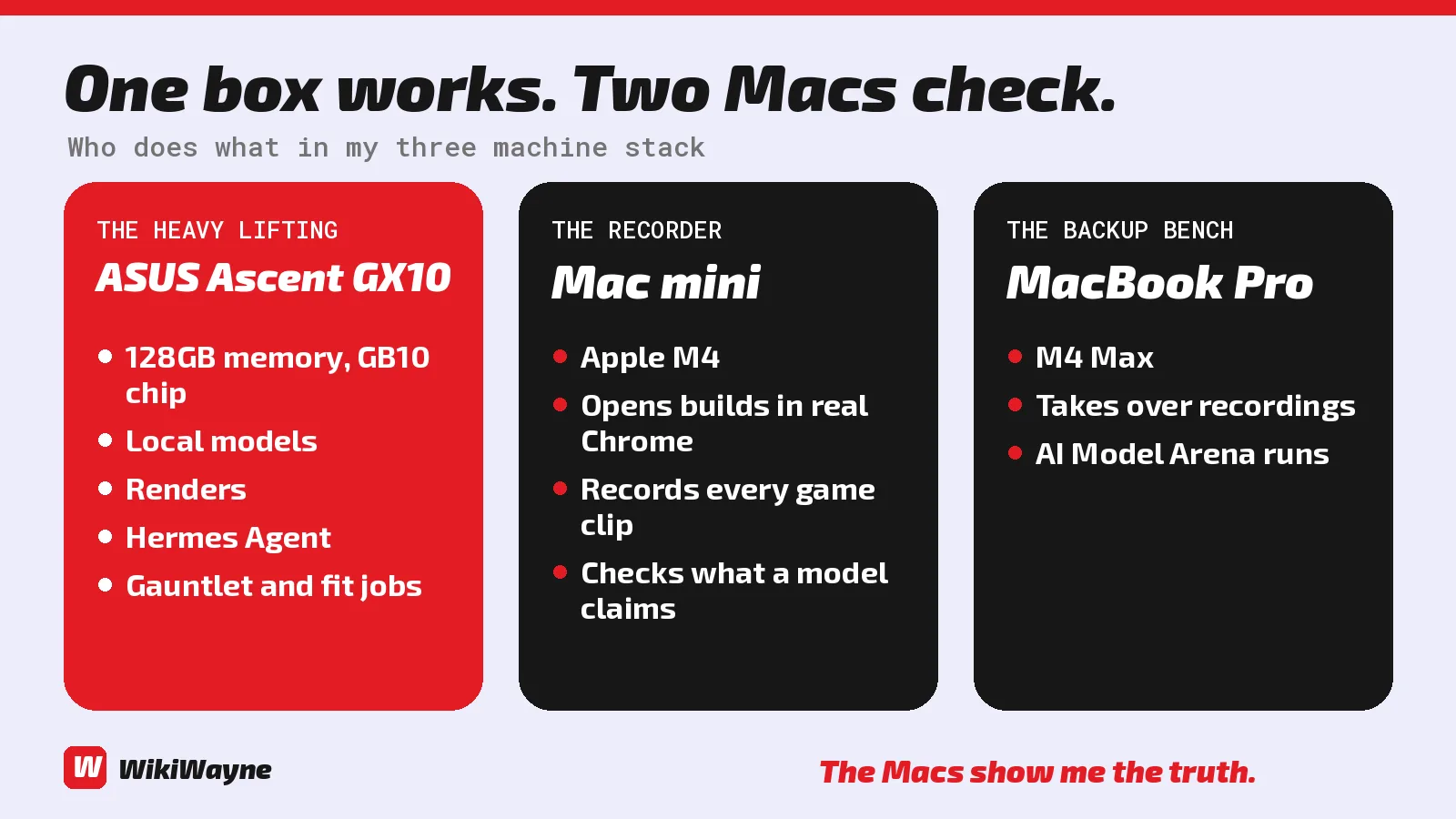
The GX10 does the heavy lifting. Local models, renders, Hermes, gauntlet jobs.
The Macs show me the truth. They load what a model built in a real browser and record it.
My bots move the files around and draft the posts. I post them myself. That team has its own write up: My Grok Bot Team Runs My Content, Site and Video Work.
What I'm not claiming
I'm not saying any of these machines is the right pick for you. I'm saying what mine do.
I don't post a tokens per second number here unless a run log backs it. Those numbers live in the posts for each test.
If you want to see how models stack up across my tests, read My Model Rankings and Favorites, From Gauntlet Receipts. If you want the full scoreboard, it's at wikiwayne.com/wikibench.
Read the rest of the stack
Affiliate Disclosure: As an Amazon Associate I earn from qualifying purchases. This site contains affiliate links.